

The client app: what your clients see
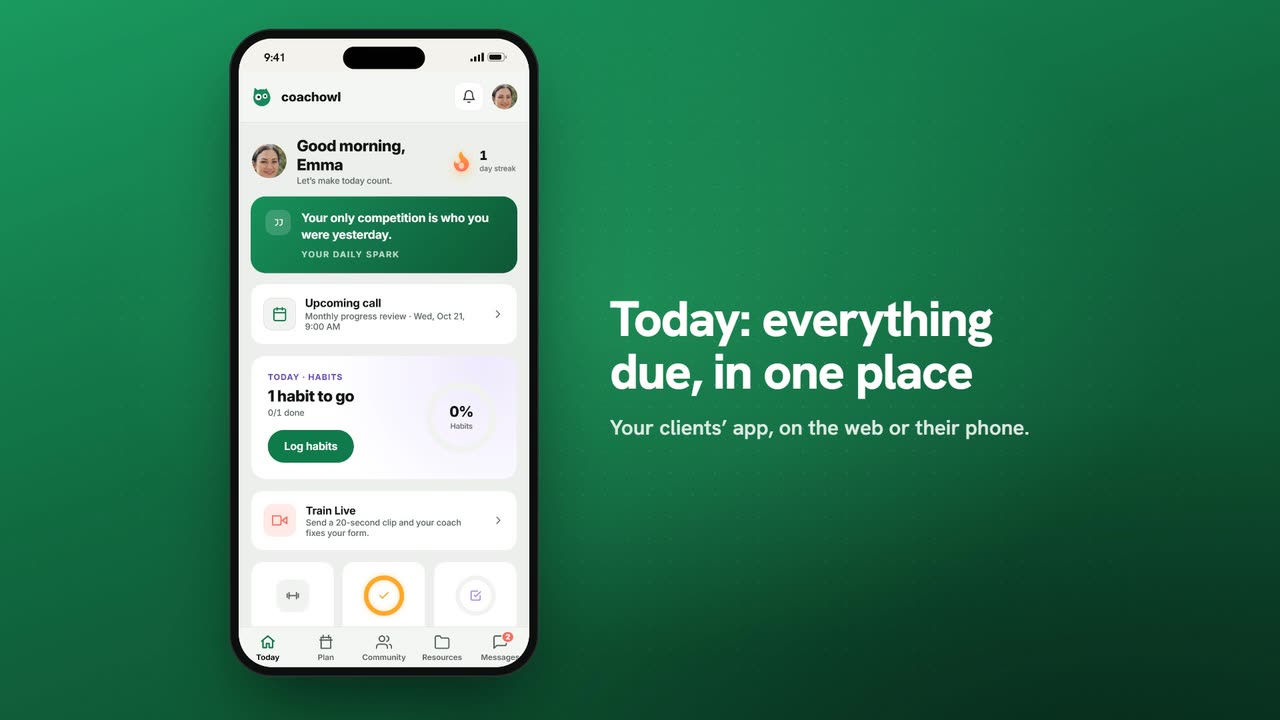
Sample data. The coach and clients shown are fictional.
Who can use it
- Available on every plan, including Free.
- Your 7-day free trial includes every feature, for up to 3 clients.
- The Free plan covers up to 3 clients. Pro, Max and Ultra add the premium features and raise the client limit. Compare plans.
Your clients get their own app with everything you plan for them. This tutorial walks through it from their side, so you can help anyone who gets stuck.
1. Joining you
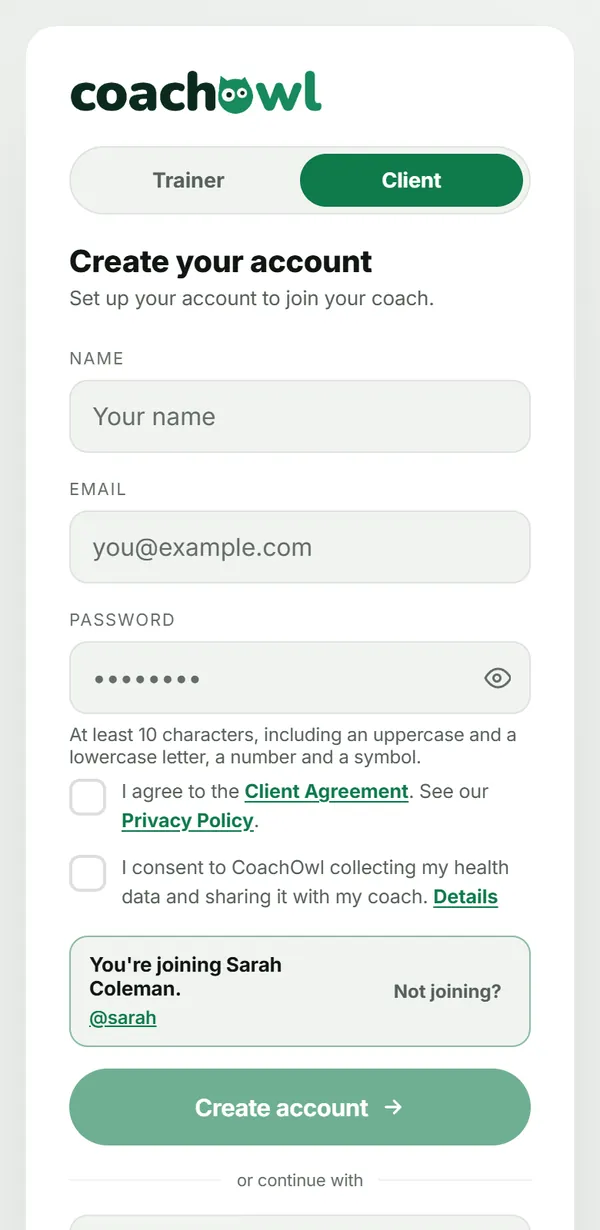
The client taps Work with me on your page, or opens your invite link. Sign-up opens already linked to you — “You're joining Sarah Coleman”.
They enter their name, email and a password, and tick one box:
- “I agree to the Terms of Service and Privacy Policy.” Each one opens from its name, for them to read.
Then they tap Create account. The box is required — the account can’t be created without it.
2. Onboarding
A short setup follows: their starting weight and height, their main goal (for example Build muscle with a target), and their date of birth. They finish with Finish & send to coach. You get the request; they see “Your journey” until you activate them — then their plan appears.
3. Today
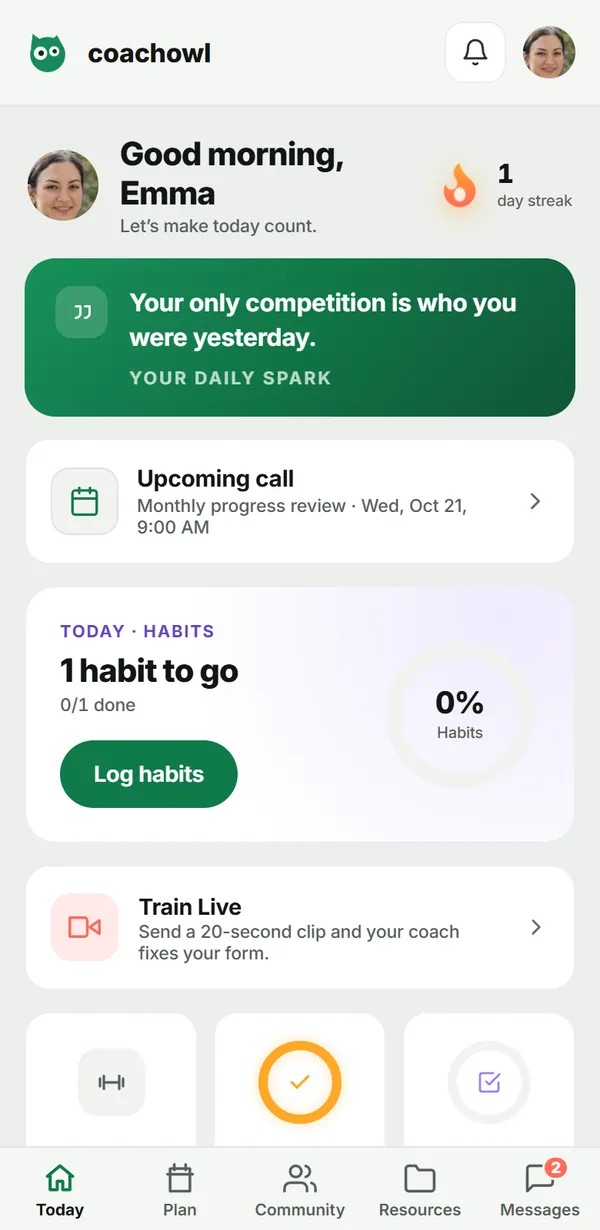
Today shows what is due: the workout (Start workout), check-ins, nutrition and habits rings, an upcoming call, Train Live and Your journey (progress).
4. The tabs
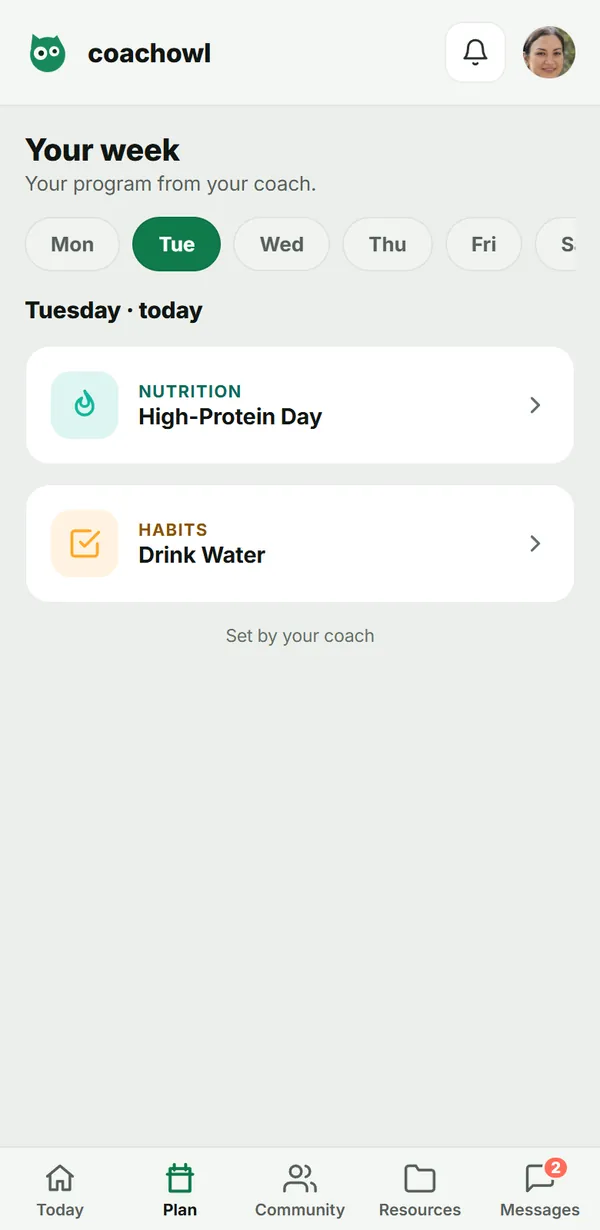
- Plan — their week, day by day, as you planned it.
- Community — your wall: posts, polls and wins.
- Resources — the guides, files and links you shared.
- Messages — chat with you, and your group posts.
Troubleshooting
- “You’re joining…” doesn’t show. The link is wrong or your page isn’t published.
- The client already has an account. They tap Already have an account? Sign in on the same screen.
- Nothing on Today. You haven’t activated them yet, or nothing is planned today.
Frequently asked questions
Do clients pay CoachOwl?
No. Clients use the app for free as part of your coaching. CoachOwl never handles money between you and your clients.
Do clients need to install anything?
No. The app runs in the phone’s browser at app.coachowl.fit, and clients can add it to their home screen for one-tap access.
Can a client be under 18?
No. CoachOwl is for adults; onboarding asks for a date of birth to confirm it.
Which features does my client get?
It follows your plan. For example, Community and Train Live appear only if your plan includes them.
Try it in your own workspace
Start your free trial