

Publish your coaching page
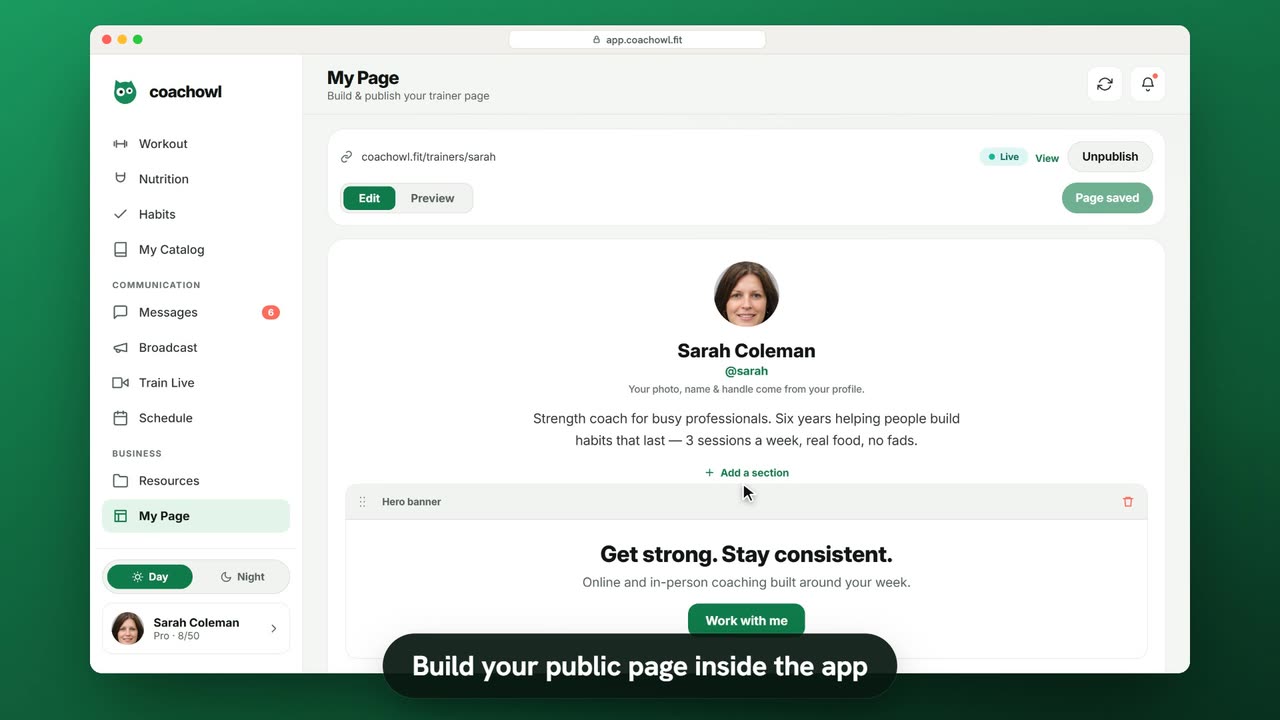
Sample data. The coach and clients shown are fictional.
Who can use it
- Available on every plan, including Free.
- Your 7-day free trial includes every feature, for up to 3 clients.
- The Free plan covers up to 3 clients. Pro, Max and Ultra add the premium features and raise the client limit. Compare plans.
Your public page is your shop window: who you are, how you coach, and a Work with me button that takes new clients straight to sign-up — already connected to you.
1. Open the editor
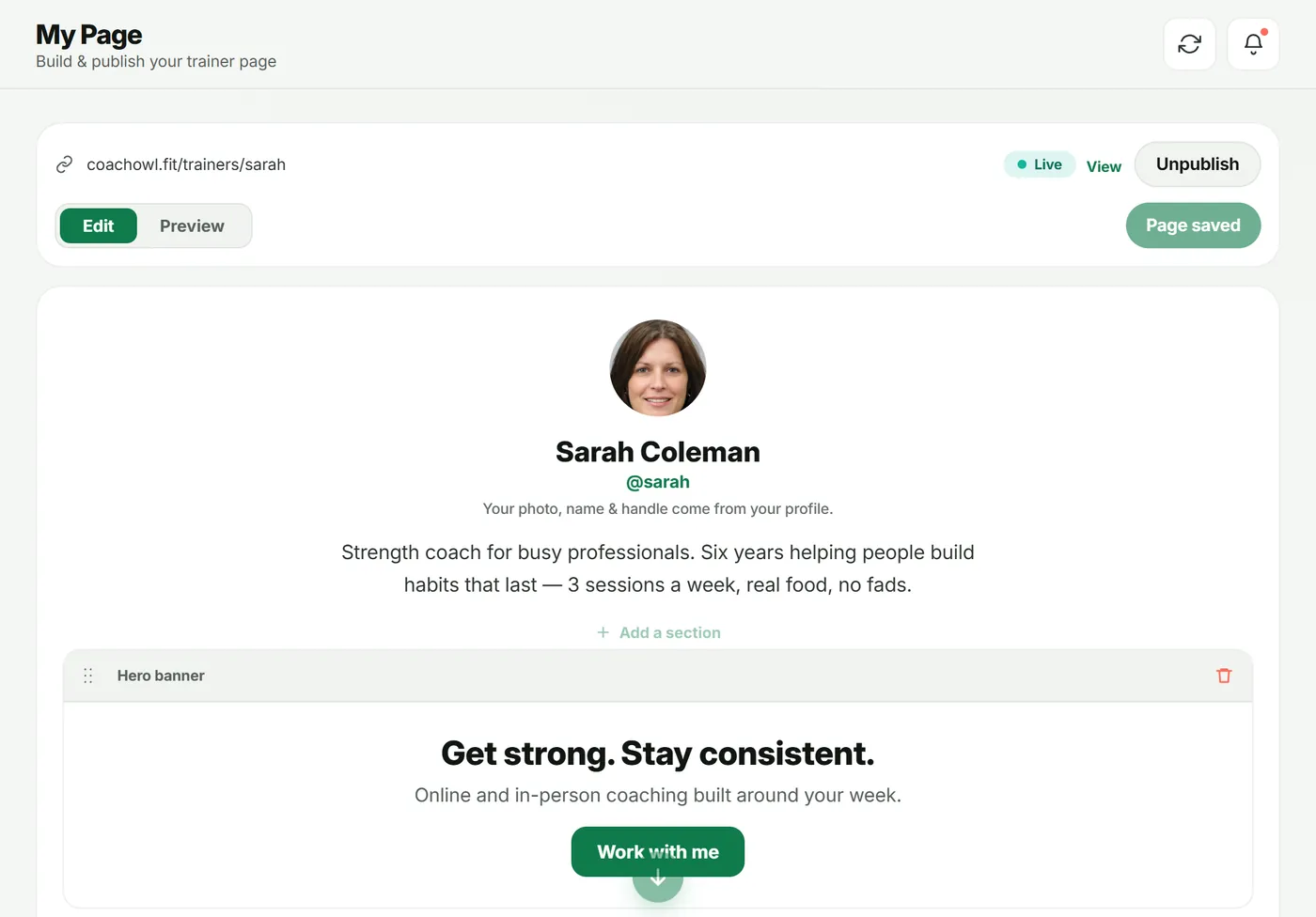
Open My Page in the sidebar. At the top you’ll see your page address, a status pill (Live when published) and Edit / Preview.
Your photo, name and handle come from your profile; the short bio appears under them.
2. Add and arrange sections
Tap Add a section and choose from Hero banner, About me, Stats strip, Text block, Booking / contact, Gallery and Testimonials.
- Click into any text to edit it in place.
- Drag the handle to reorder sections; use the bin to remove one.
- Tap Save when you’re done — it changes to Page saved.
Only publish real results and quotes from real clients, with their permission.
3. Preview and publish
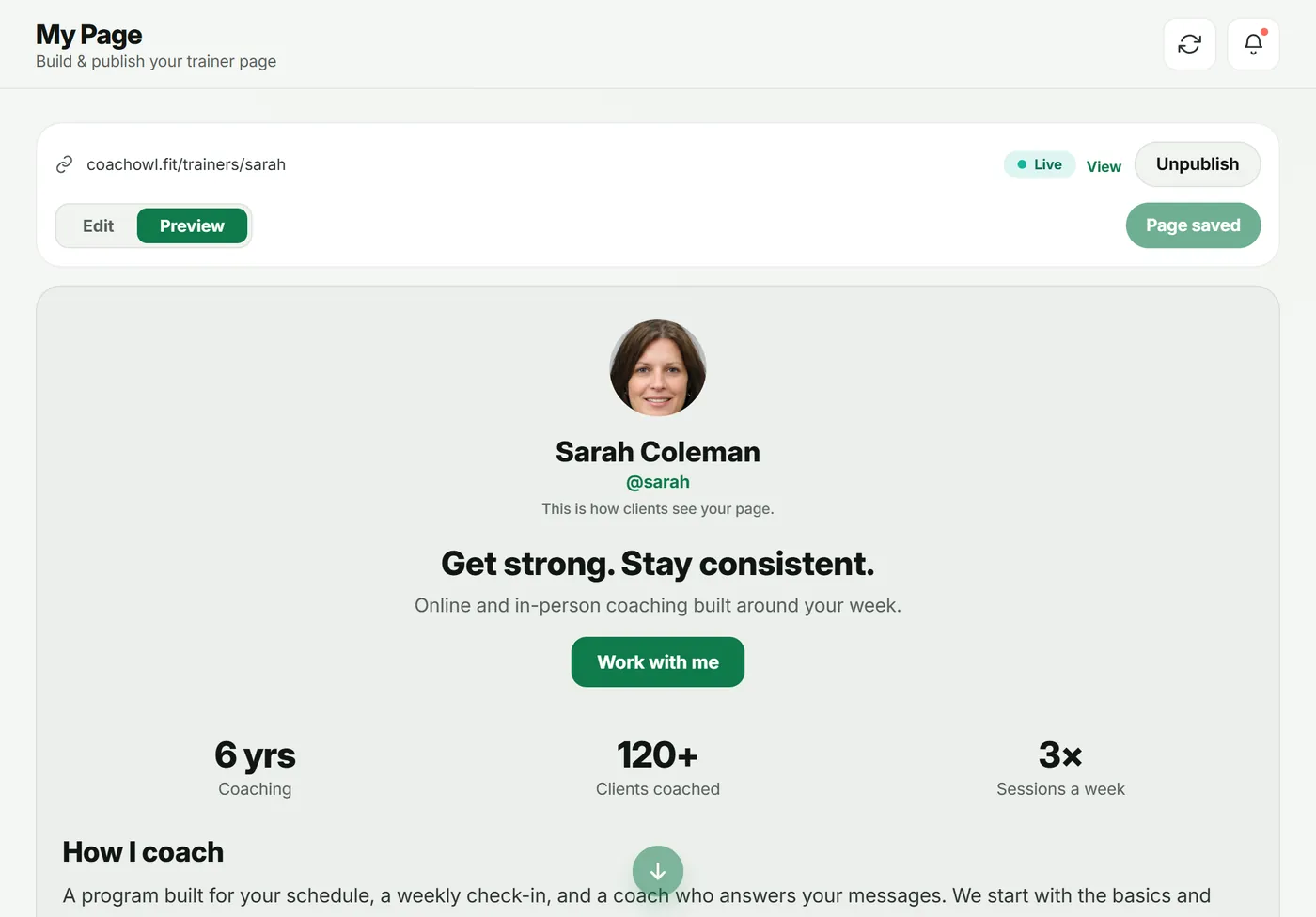
- Tap Preview to see what visitors see.
- Tap Publish. The pill changes to Live.
- Tap View to open the live page.
What visitors see
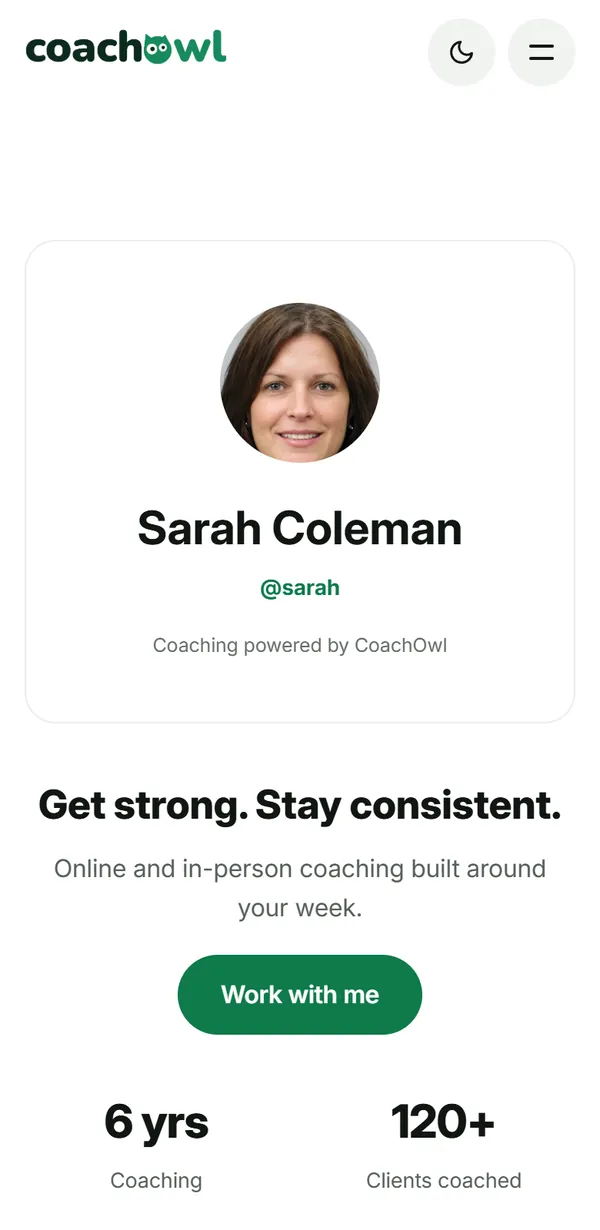
Your page at coachowl.fit/trainers/your-handle, with Work with me. Tapping it opens CoachOwl sign-up, linked to you; the new client then appears in your New requests.
Troubleshooting
- “Set a handle in your profile to get a public link.” Claim your @handle in Profile → Edit profile. You can only claim it once, so choose carefully.
- The page still shows old text. Wait a moment and refresh — the pill shows Updating while the change goes live.
Frequently asked questions
What is my page address?
coachowl.fit/trainers/ followed by your @handle. You claim the handle once, in Profile → Edit profile.
How quickly do changes go live?
Usually straight away after you save. The status pill shows Live, Updating or Not live.
Can I take the page down?
Yes. Tap Unpublish. The page stops being visible and new sign-ups from it stop.
Try it in your own workspace
Start your free trial