

Coach clients in groups
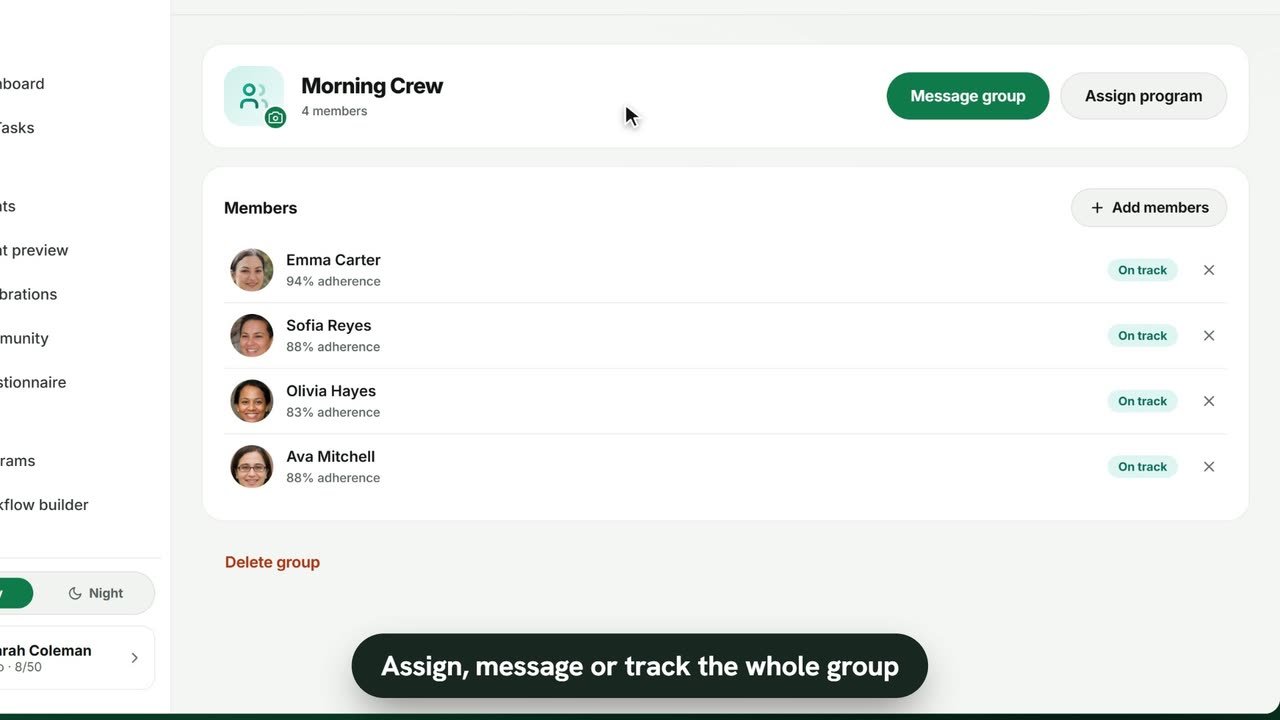
Sample data. The coach and clients shown are fictional.
Who can use it
- Available on Pro and above (and during your 7-day free trial).
- Your 7-day free trial includes every feature, for up to 3 clients.
- The Free plan covers up to 3 clients. Pro, Max and Ultra add the premium features and raise the client limit. Compare plans.
1. Create a group
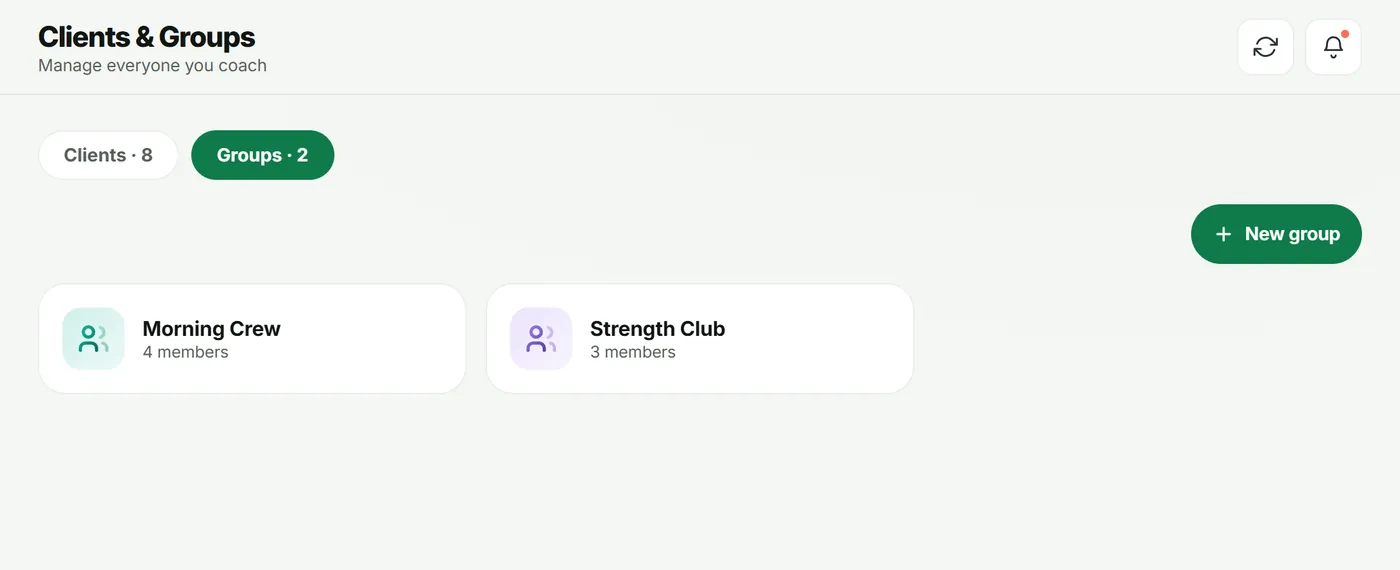
- Open Clients and switch to the Groups tab.
- Tap New group, enter a Group name and pick the first members.
- Tap Create group.
2. Manage members
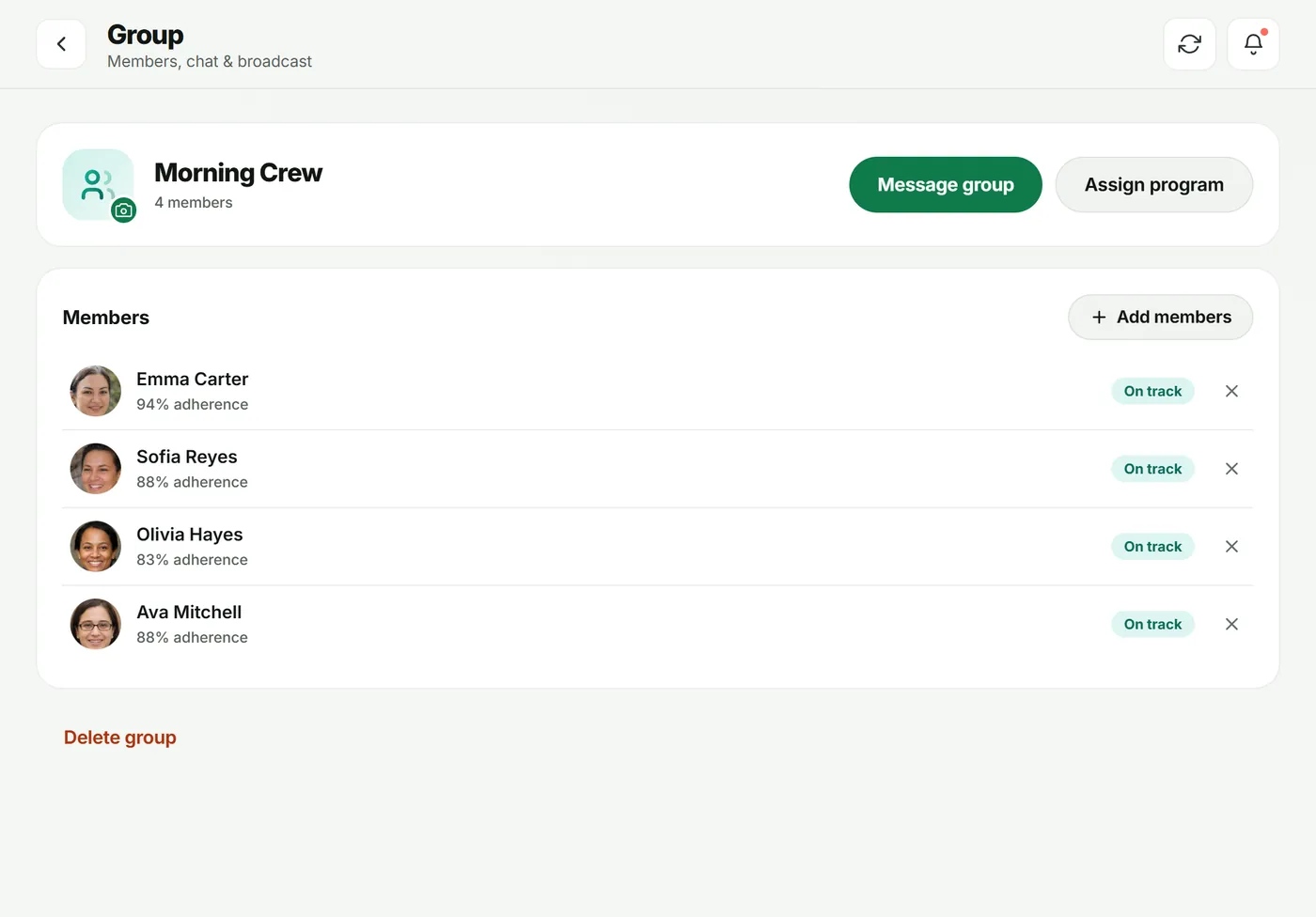
Tap a group to open it. You’ll see each member’s adherence and status.
- Add members to bring more clients in.
- Use the × next to a member to remove them (you can add them back anytime).
- Change photo to give the group a picture.
3. Assign one program to everyone
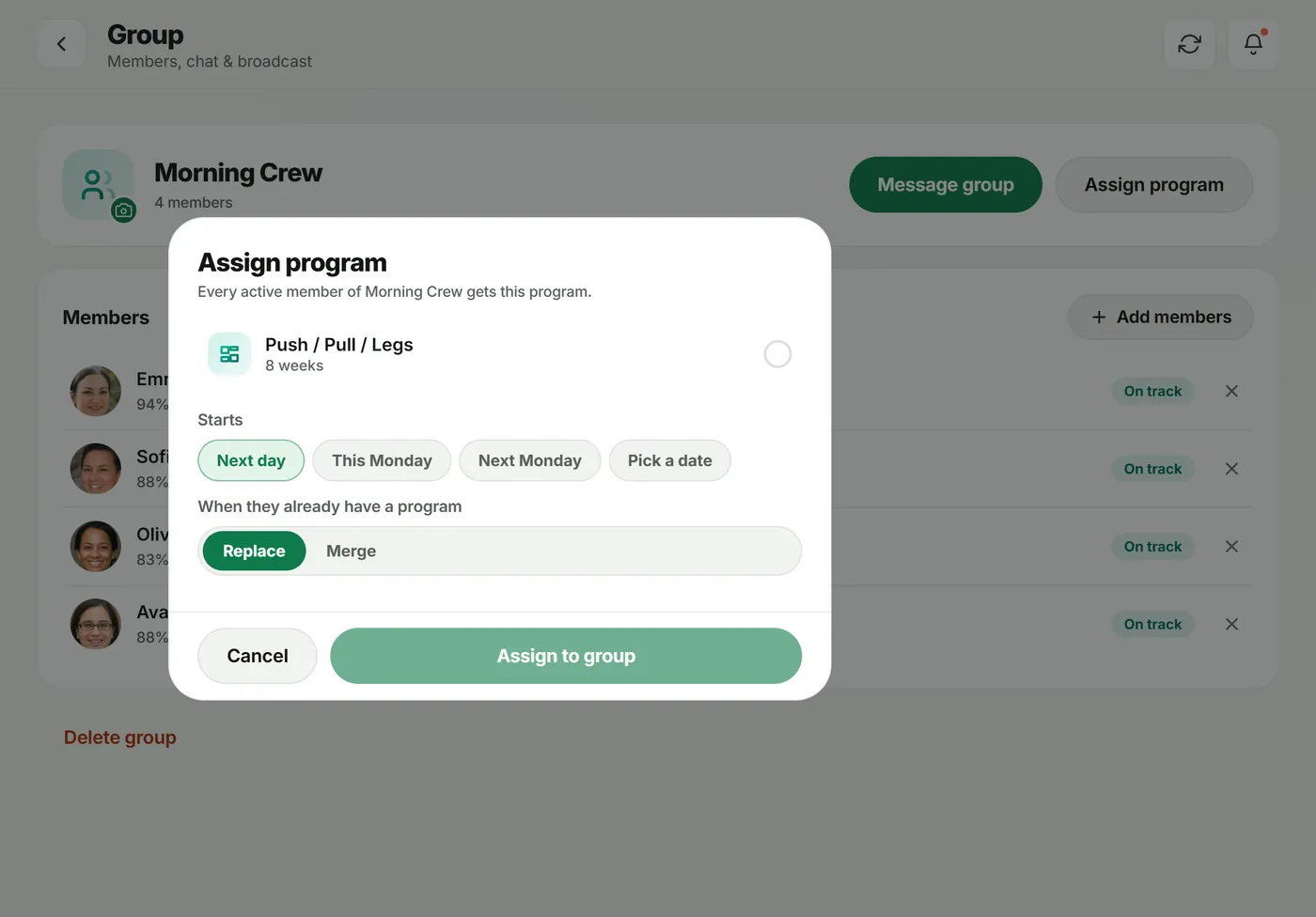
Tap Assign program, pick a program, choose when it Starts and Replace or Merge, then tap Assign to group. Every active member gets the program.
4. Talk to the group
Tap Message group to post in the group chat, or use Broadcast to send a notification to the group. See messaging.
Troubleshooting
- “No clients yet — enroll clients first.” Only active clients can be added.
- The group screen shows an upgrade card. Groups are on Pro and above.
Frequently asked questions
Can a client be in more than one group?
Yes. Groups are just collections of your clients; one client can belong to several.
If I assign a program to a group, can I still adjust one member’s plan?
Yes. Every active member gets their own editable copy, so you can tweak one without changing the rest.
Do clients see who else is in the group?
Yes. Members of a group see each other’s names and profile photos in the group chat. Only you can post in it.
Try it in your own workspace
Start your free trial