

Message clients, groups and everyone at once
Sample data. The coach and clients shown are fictional.
Who can use it
- Available on every plan, including Free.
- One-to-one chat is on every plan. Group chats and Broadcast are on Pro and above.
- Your 7-day free trial includes every feature, for up to 3 clients.
- The Free plan covers up to 3 clients. Pro, Max and Ultra add the premium features and raise the client limit. Compare plans.
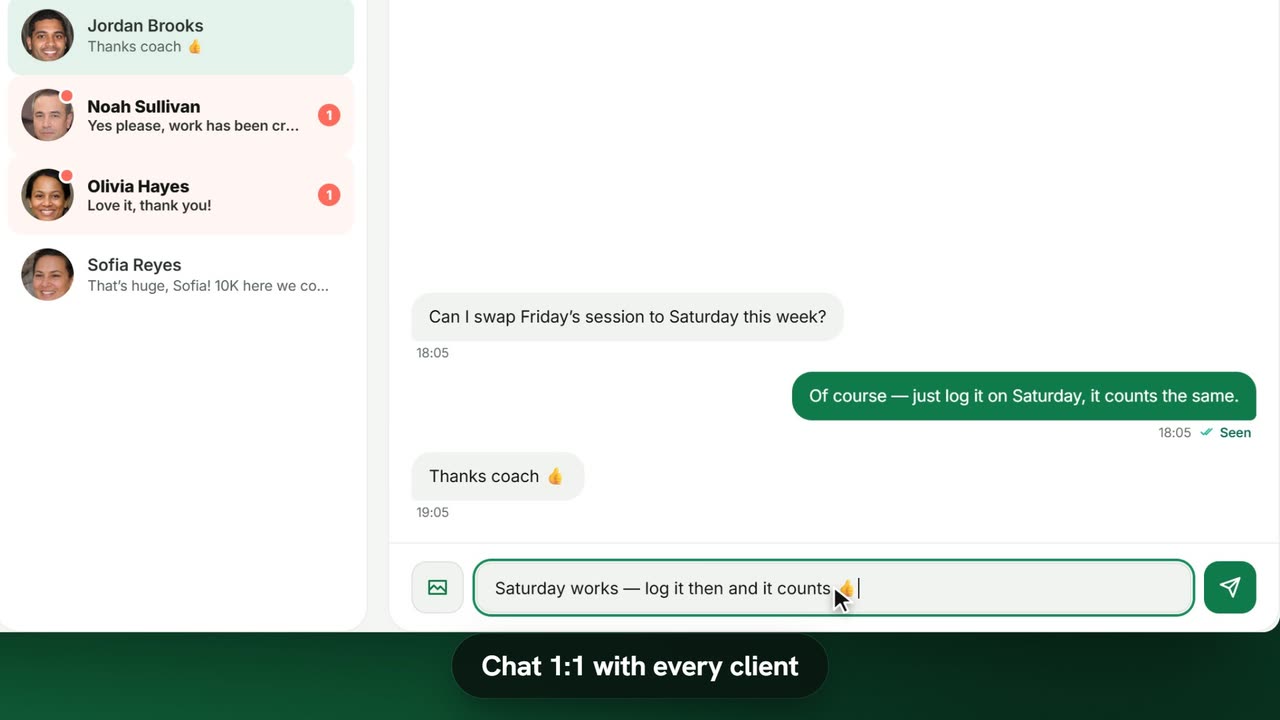
1. Chat 1:1
- Open Messages in the sidebar. The number next to it is your unread count.
- Pick a conversation. Unread ones are highlighted with a badge.
- Type in the message box (it reads Message Jordan… for a client called Jordan) and press Enter.
You can also Attach photo or video, Record voice message, and hover a message to Reply, Forward or Pin it. Use the search icon to find an old message.
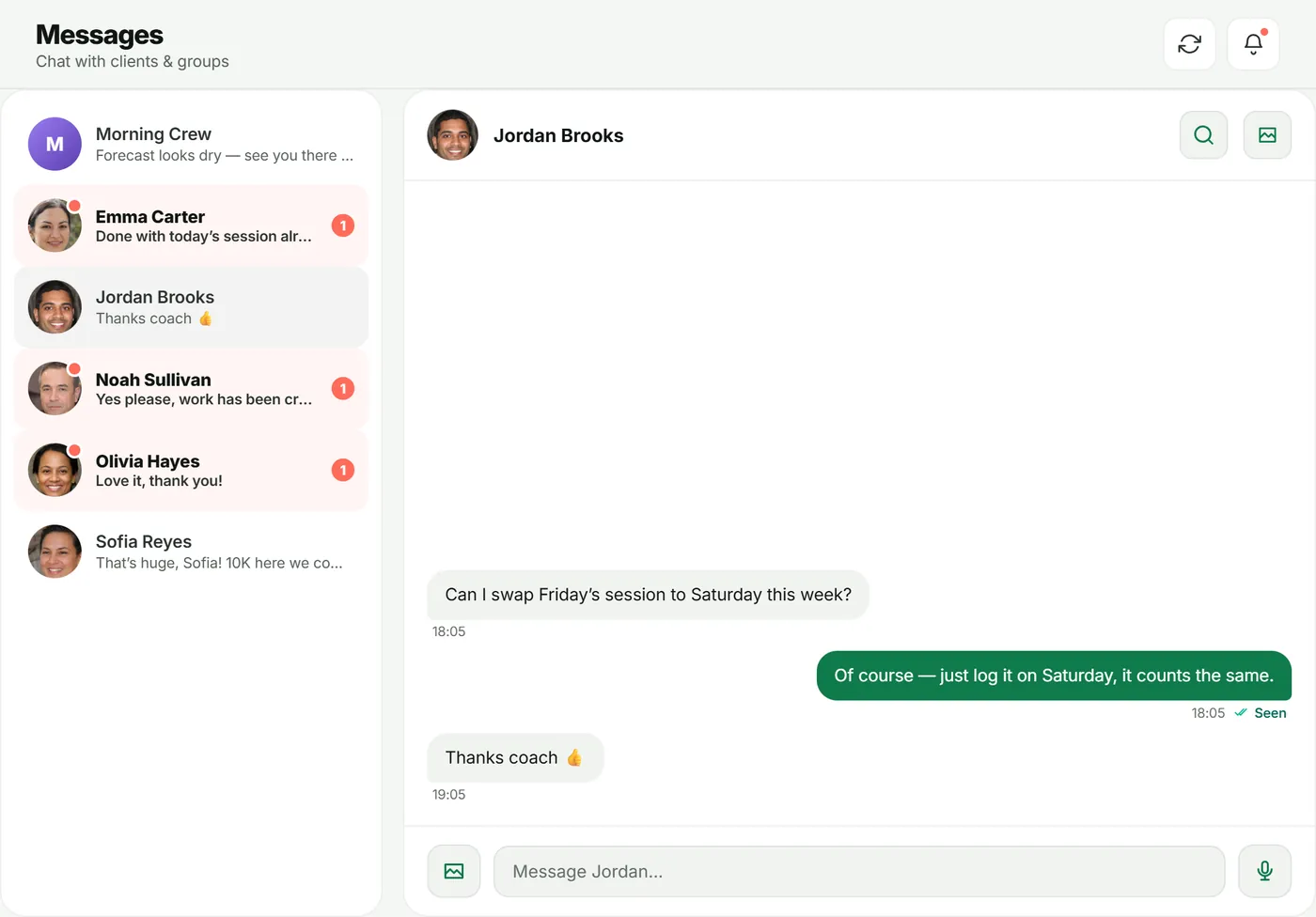
2. Post to a group
Every group you create has a group chat in Messages. Post updates there — session times, reminders, a weekly focus. Only you can post; members read.
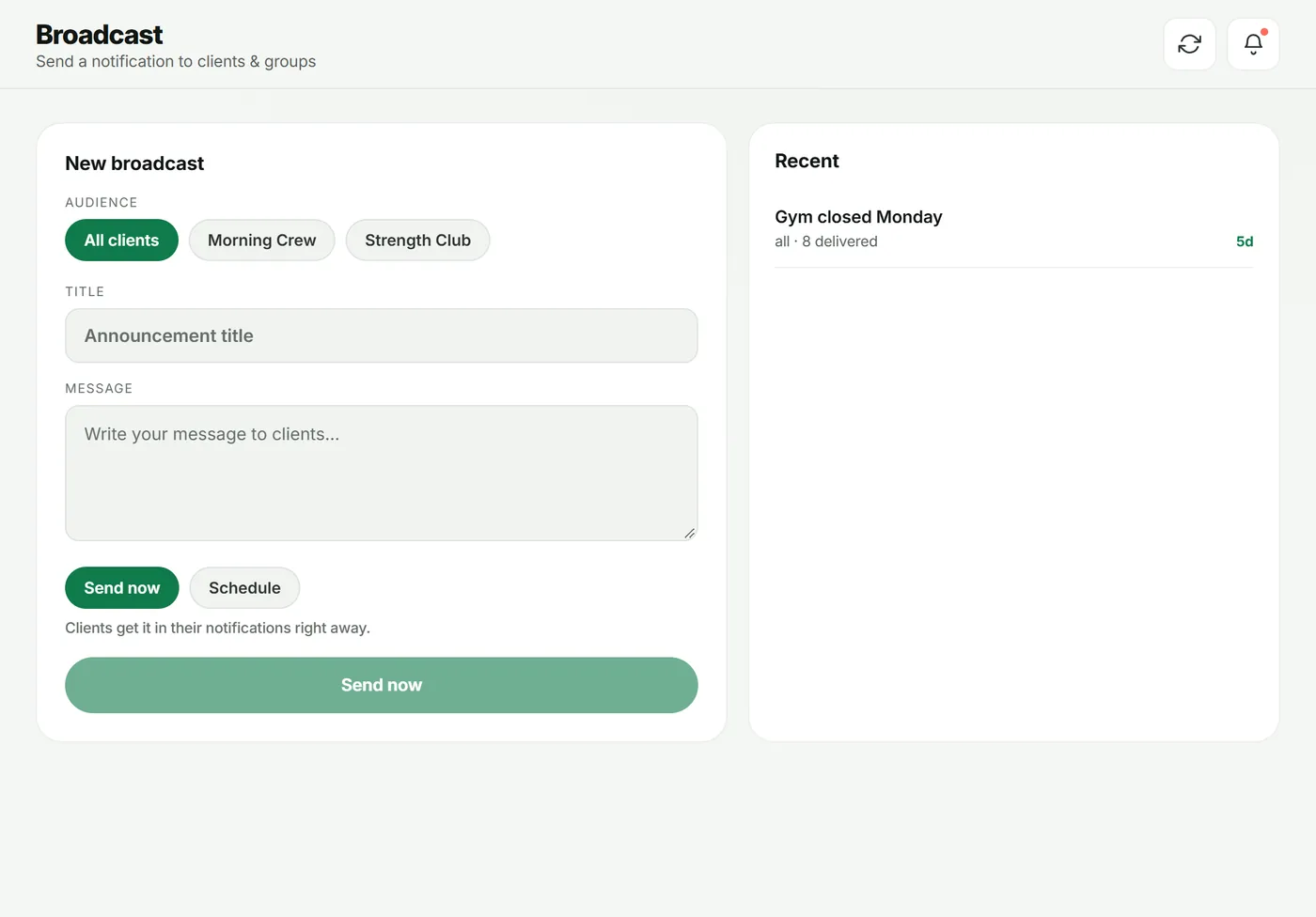
3. Send a broadcast
A broadcast sends one announcement to many clients' notifications at once.
- Open Broadcast.
- Under Audience, choose All clients or a group.
- Add a Title and Message.
- Choose Send now, or Schedule and set when to Deliver on.
Your sent and scheduled announcements appear under Recent.
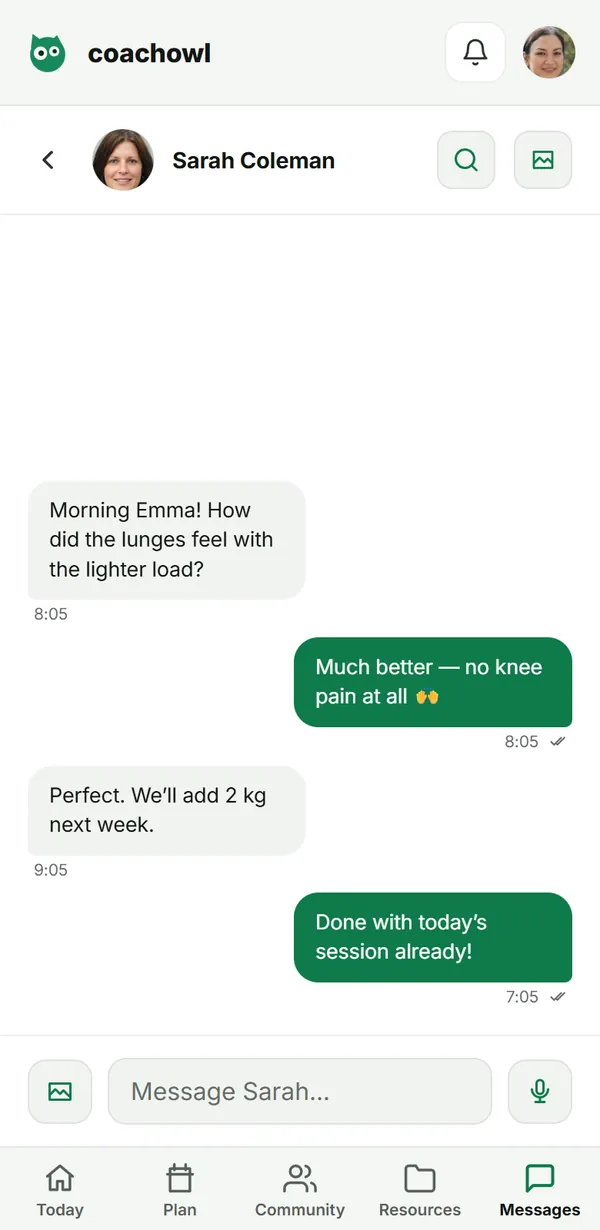
What your client sees
Clients have a Messages tab with you (and their groups). It works the same way: text, photos, video and voice notes.
Troubleshooting
- “This chat is locked”. The coaching relationship has ended, so the chat is read-only.
- I can’t post in a group. Groups are on Pro and above; on Free the composer offers an upgrade.
- Voice notes don’t record. Allow microphone access in the browser.
Frequently asked questions
Can clients reply in a group chat?
No. Group chats are for you to post to the whole group; clients see “Only your coach can post here.” They can always message you 1:1.
How big can attachments be?
Photos and videos up to 10 MB each.
Will clients get a notification?
Yes — new messages show in the app, and on devices where the client has turned notifications on, as a push notification.
Try it in your own workspace
Start your free trial