

Track client progress: adherence, goals and logs
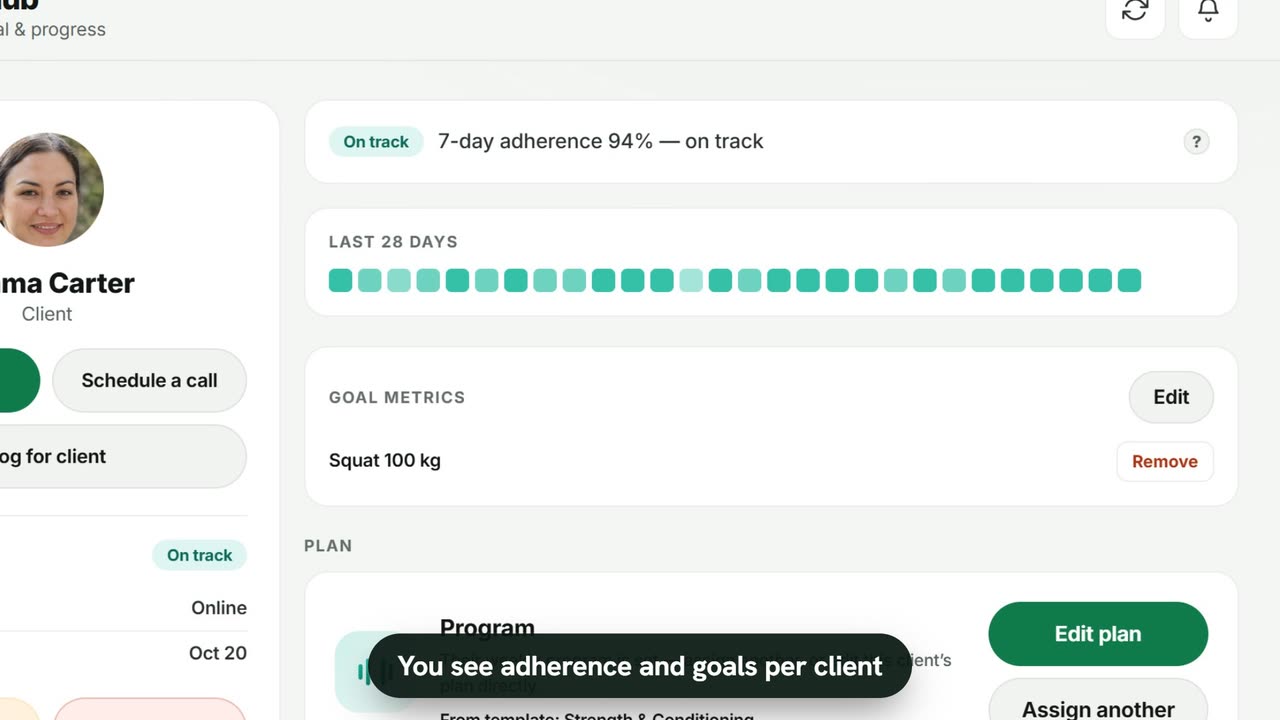
Sample data. The coach and clients shown are fictional.
Who can use it
- Available on every plan, including Free.
- Your 7-day free trial includes every feature, for up to 3 clients.
- The Free plan covers up to 3 clients. Pro, Max and Ultra add the premium features and raise the client limit. Compare plans.
1. In the client hub
Open Clients and tap a client. The right-hand side shows:
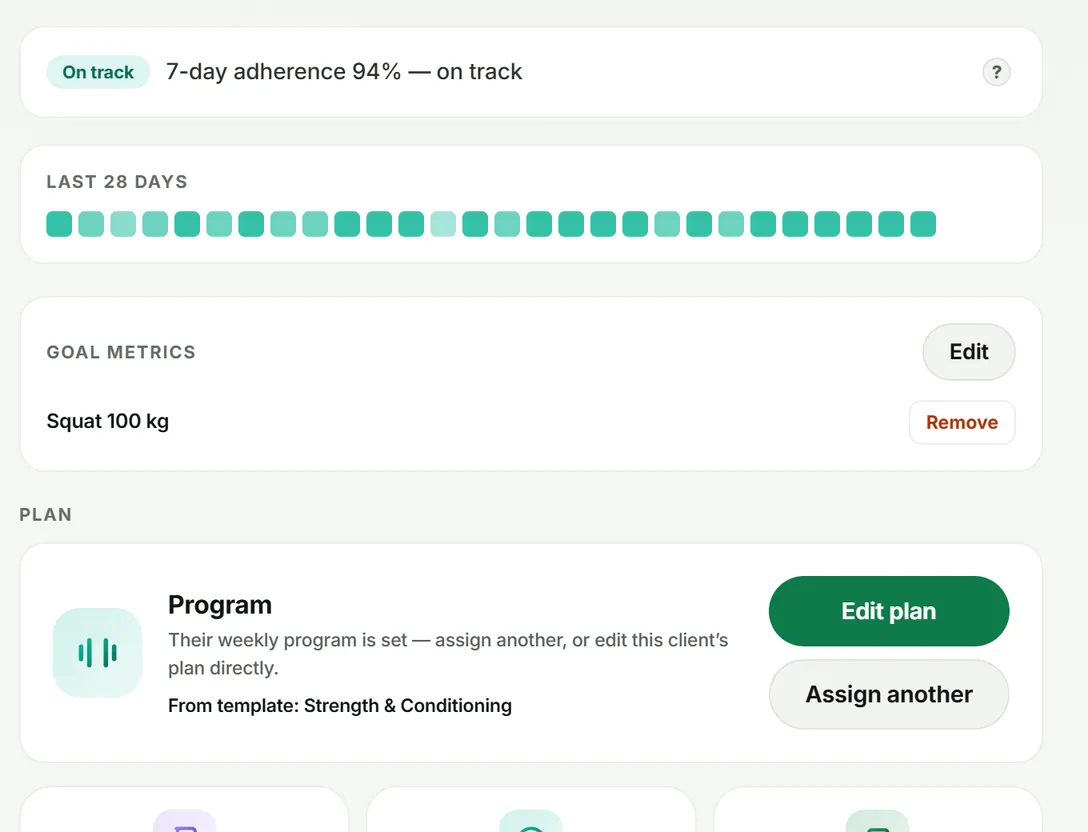
- their status (for example On track) and 7-day adherence;
- Last 28 days — one square per day, darker for more done;
- Goal metrics, such as a daily steps target or “Squat 100 kg” (use Edit to change them);
- Momentum this week versus last, per workouts, nutrition and habits.
2. In the logbook
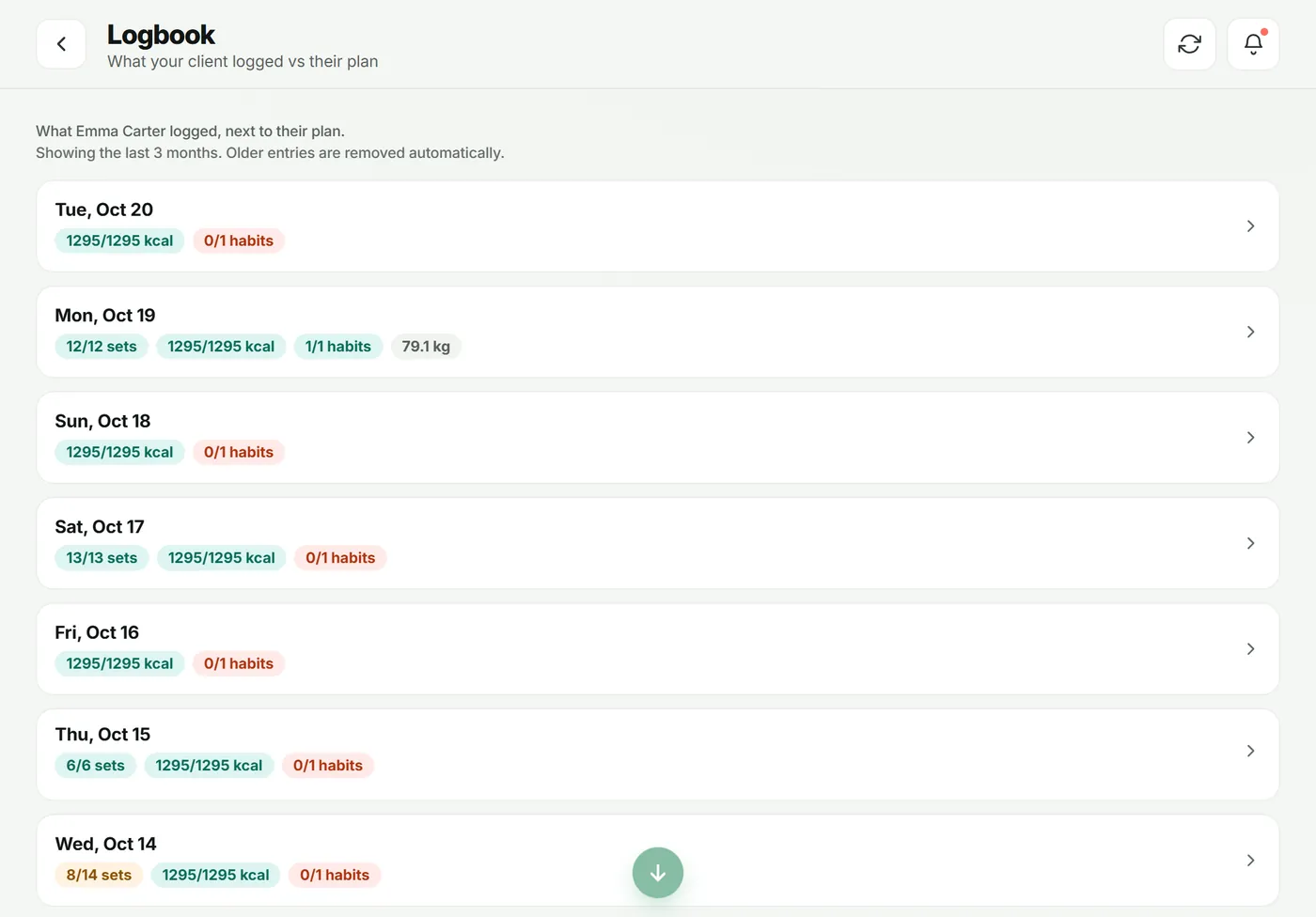
Tap Logbook in the client hub to see every day they logged — sets done, calories eaten and habits — newest first. Tap a day for the detail.
3. Across your roster
On the Dashboard, the adherence tile and Client status show the whole roster at once; tap either to open the practice report. See reports.
What your client sees
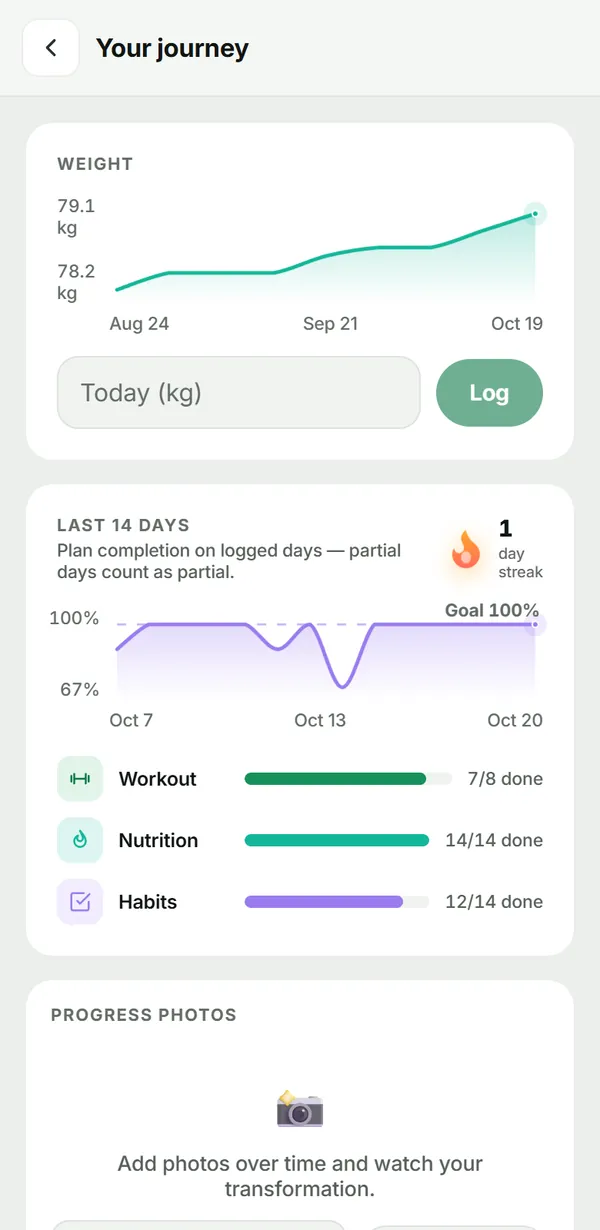
Clients tap Your journey on their Today screen. They see their weight trend and can log a weigh-in, their goal, their plan completion for the last 14 days, progress photos and a journal you can read too.
Troubleshooting
- “Not enough logged yet”. New clients need a few days of logs before a status settles.
- No weight trend. The client hasn’t logged a weigh-in yet; they can add one under Your journey.
Frequently asked questions
How is adherence worked out?
It is the share of planned items (workouts, meals and habits) a client completed over the last 7 days. Days with nothing planned don’t count against them.
What does “Needs attention” mean?
The client’s recent adherence has dropped below on-track. Use the Needs attention filter in Clients to see everyone it applies to.
Can I set a goal for a client?
Yes. In the client hub, Goal metrics → Edit. Goals you set show to the client as coach-set.
Try it in your own workspace
Start your free trial