

Check a client’s form with Train Live
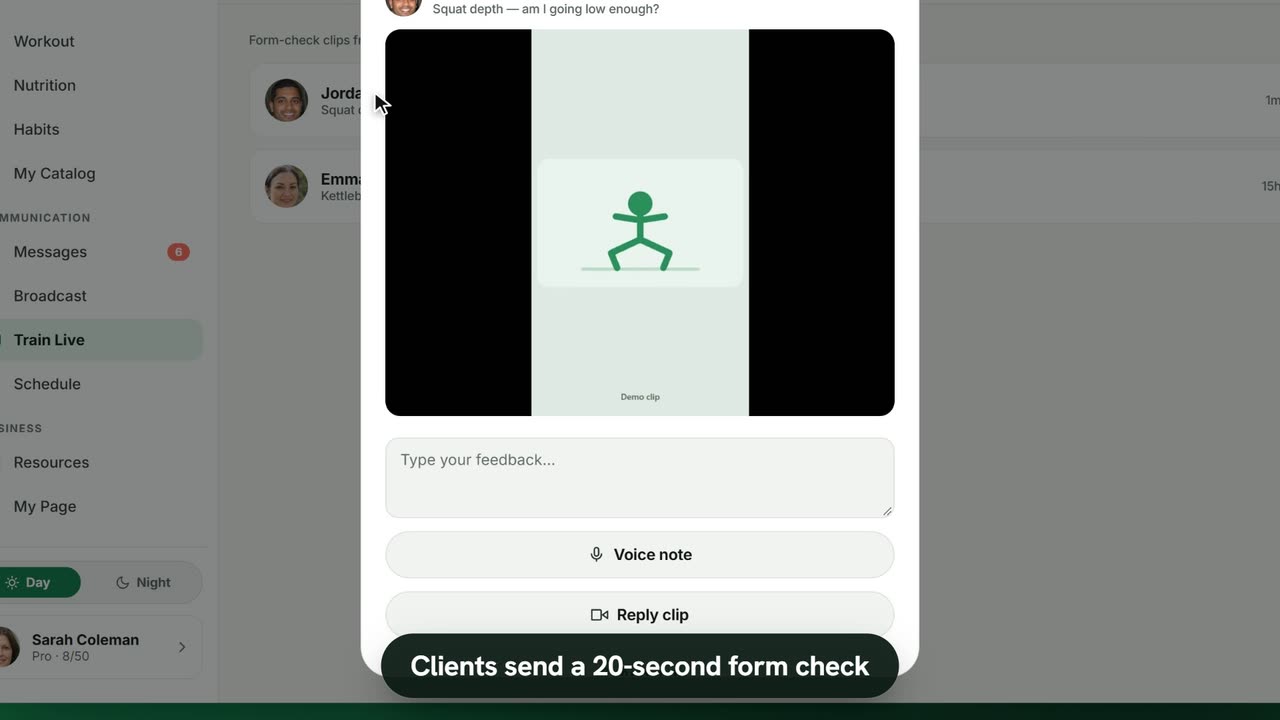
Sample data. The coach and clients shown are fictional.
Who can use it
- Available on Pro and above (and during your 7-day free trial).
- Your 7-day free trial includes every feature, for up to 3 clients.
- The Free plan covers up to 3 clients. Pro, Max and Ultra add the premium features and raise the client limit. Compare plans.
Train Live is for quick form checks: the client films one set, you coach the fix.
1. The client records a clip
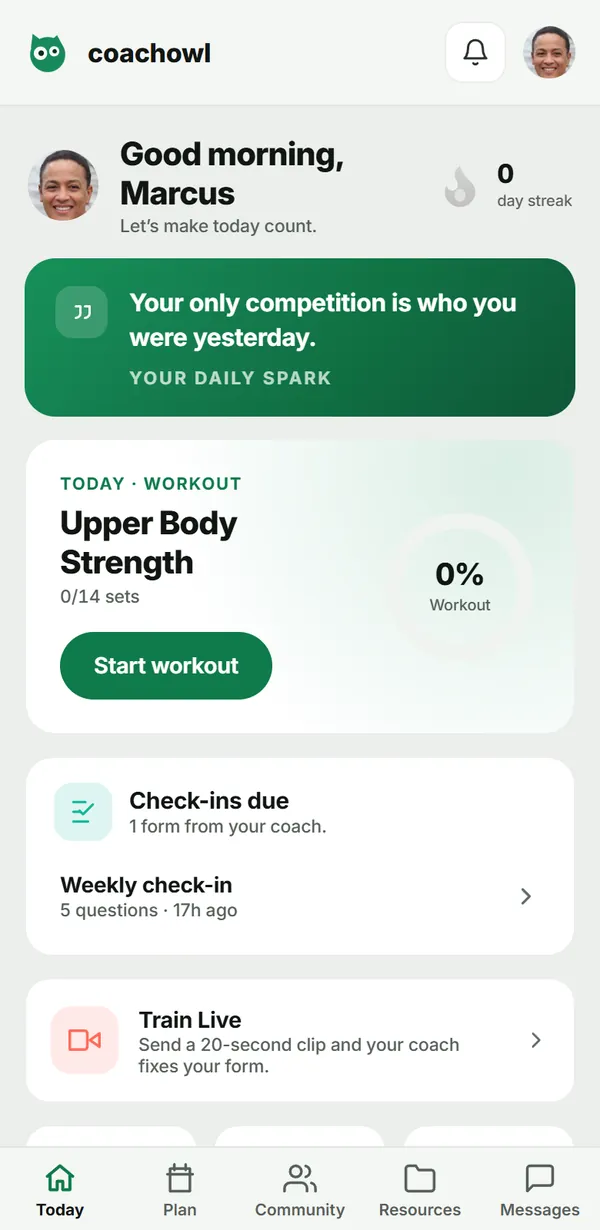
On their Today screen the client taps Train Live, then Record a form check. They film up to 20 seconds, add an optional note (“What should your coach look at?”) and tap Send to coach.
2. Open it
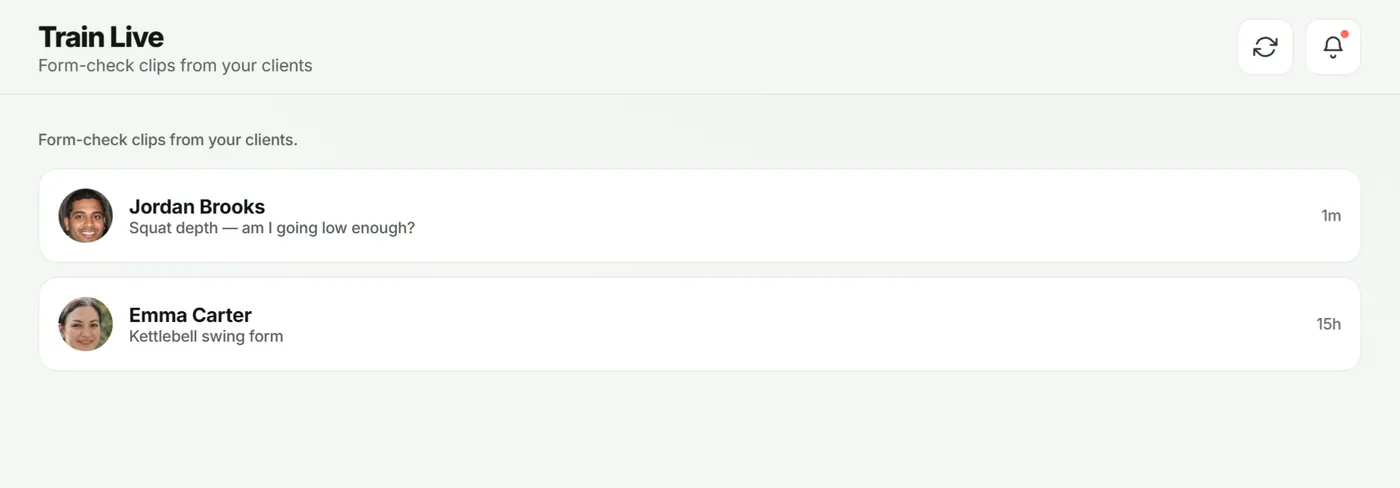
You get a notification. Open Train Live in the sidebar — clips waiting for you are at the top.
3. Reply
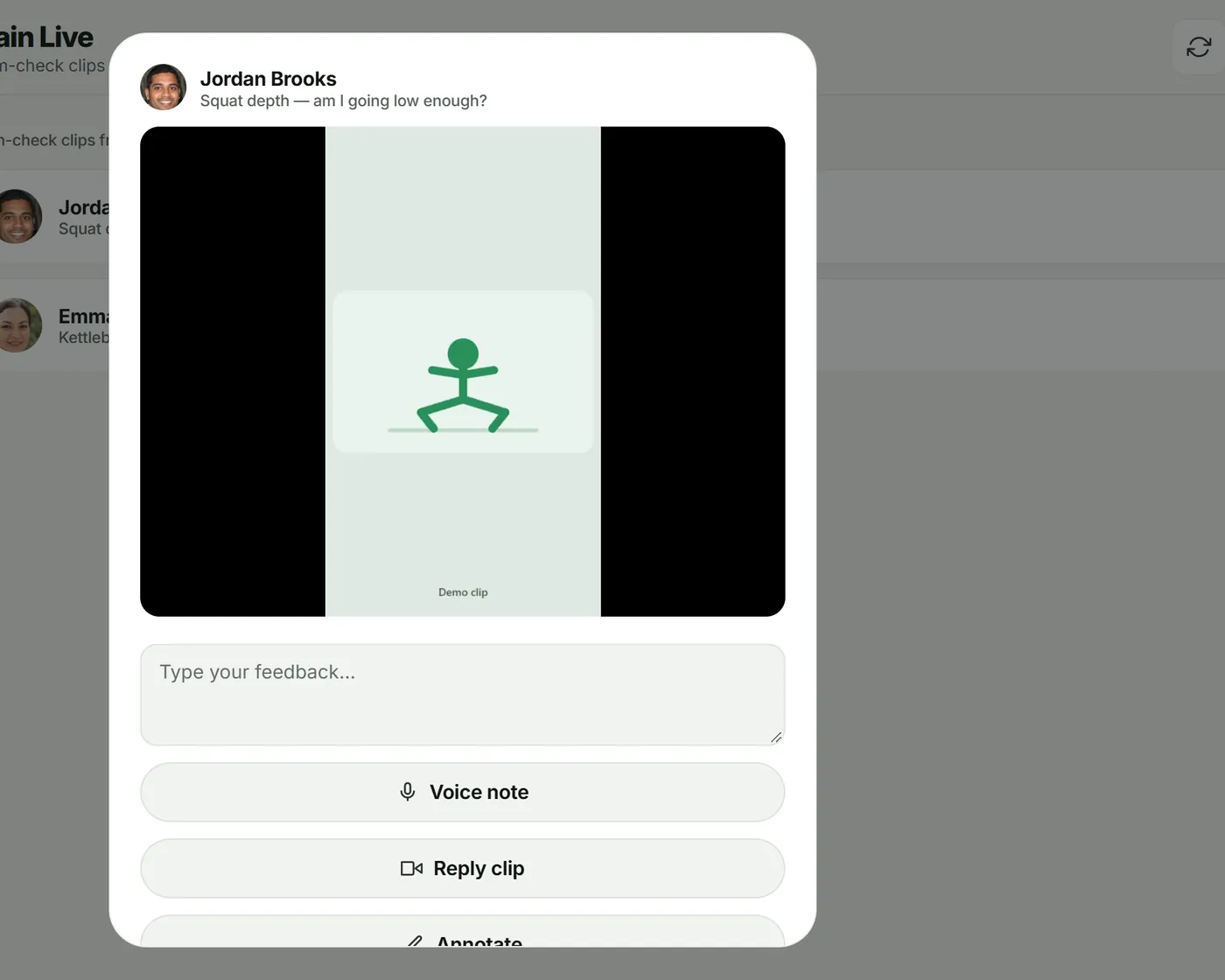
Tap the clip to open Review form check, watch it, then reply with any mix of:
- written feedback in Type your feedback…;
- a Voice note;
- a Reply clip of you demonstrating;
- Annotate: scrub to a frame, tap Draw, mark it up, then Add annotation.
Tap Send feedback. The client sees it under Coach feedback.
Troubleshooting
- The client can’t record. They need to allow camera and microphone access (“Camera access needed”).
- “Wait for feedback on your last clip first.” One clip at a time — reply to the open one.
- The clip is gone. It expired; your written feedback, voice notes and annotations are still there.
Frequently asked questions
How long are clips kept?
A client’s clip is deleted once you’ve opened it and it is at least 8 hours old, and in any case 24 hours after it was sent. Your reply clip goes 8 hours after you send it. Text, voice notes and the annotated frame stay.
How many clips can a client send?
There is a daily limit, shown to the client as “form checks left today”. A client also waits for your feedback on one clip before sending the next.
Can I share a clip outside CoachOwl?
No. Clips open only inside the app, for you and that client.
Try it in your own workspace
Start your free trial