

Set daily habits your clients can track
Sample data. The coach and clients shown are fictional.
Who can use it
- Available on every plan, including Free.
- Your 7-day free trial includes every feature, for up to 3 clients.
- The Free plan covers up to 3 clients. Pro, Max and Ultra add the premium features and raise the client limit. Compare plans.
Habits are the small daily actions that make the plan stick: steps, water, sleep, stretching.
1. Create a habit
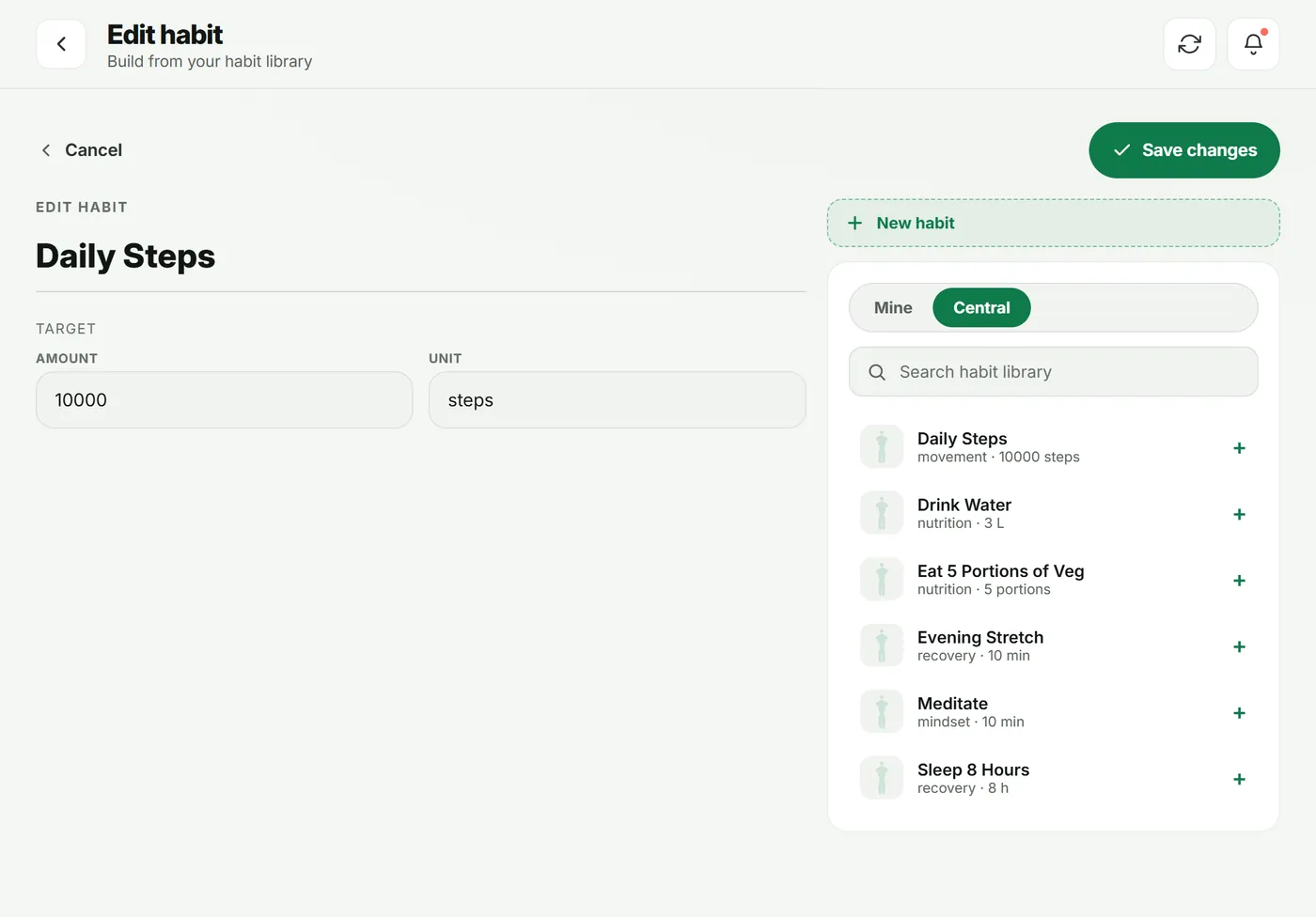
- In the sidebar, under Builder, open Habits.
- Tap New habit, or pick one from Central in the right-hand panel.
- Set the Target (for example 10,000) and the Unit (steps). How often it runs is set when you add it to a program, and reminders are automatic (midday and evening).
- Tap Save changes.
2. Add it to a plan
Add the habit to the days you want in a program, or to one client’s plan from their client hub.
3. What your client sees
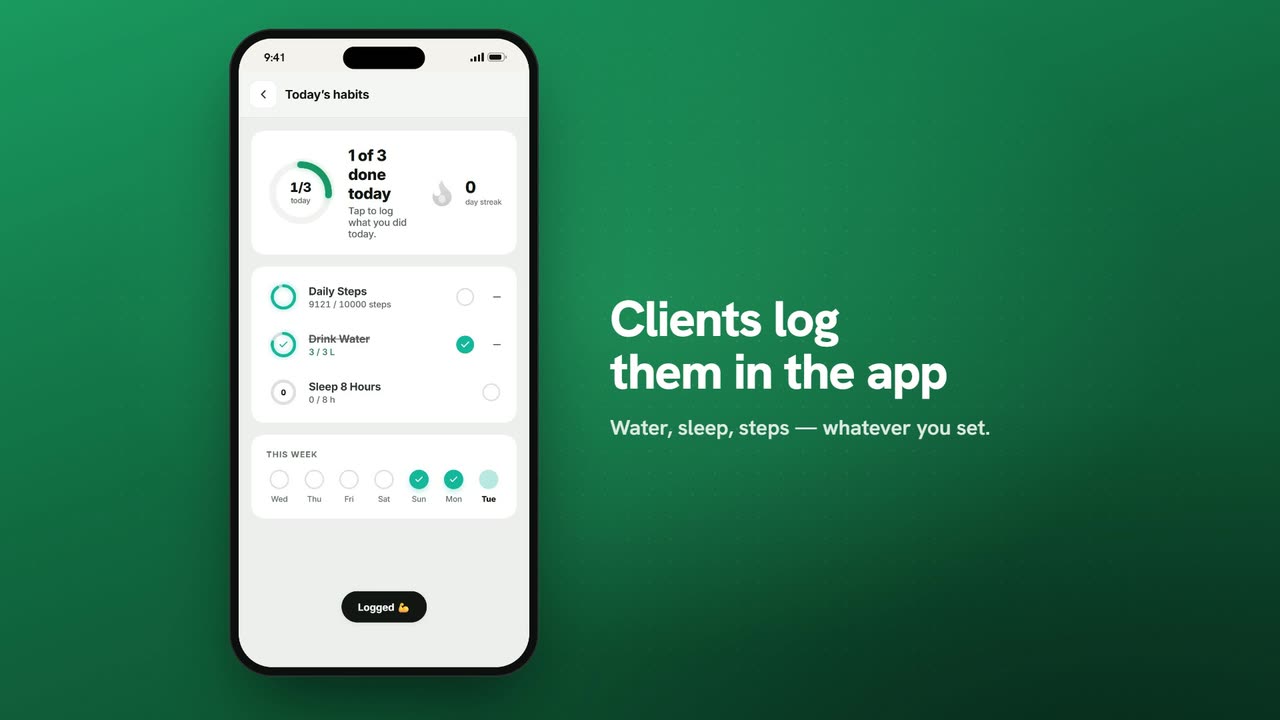
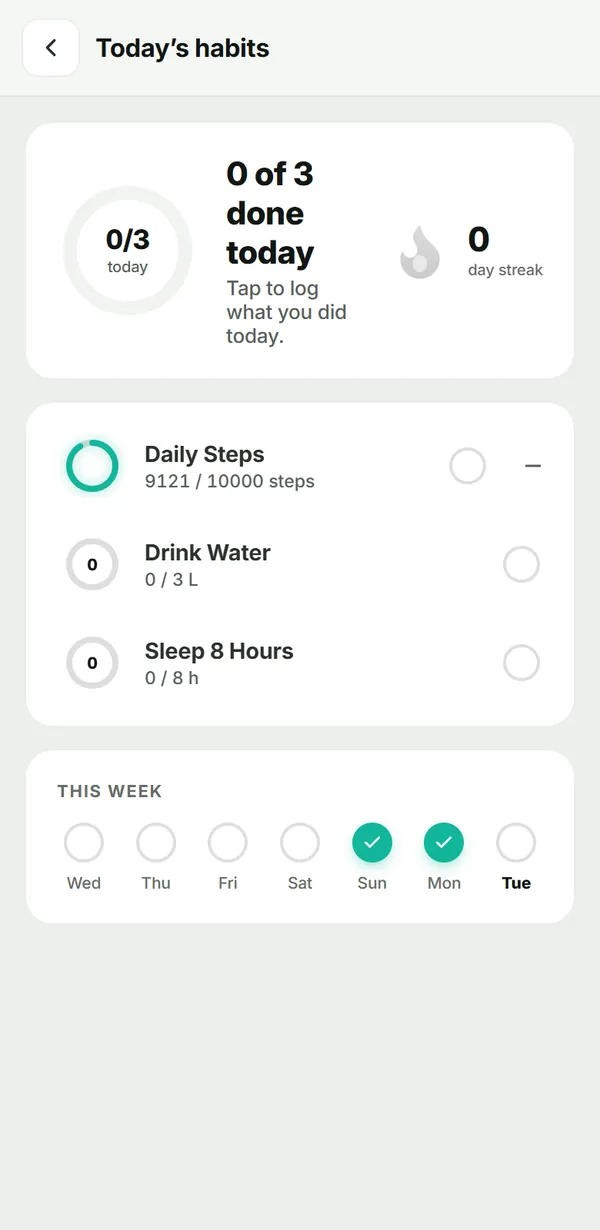
The client opens Habits from Today. Each habit shows progress toward its target and a week strip of the days they hit it.
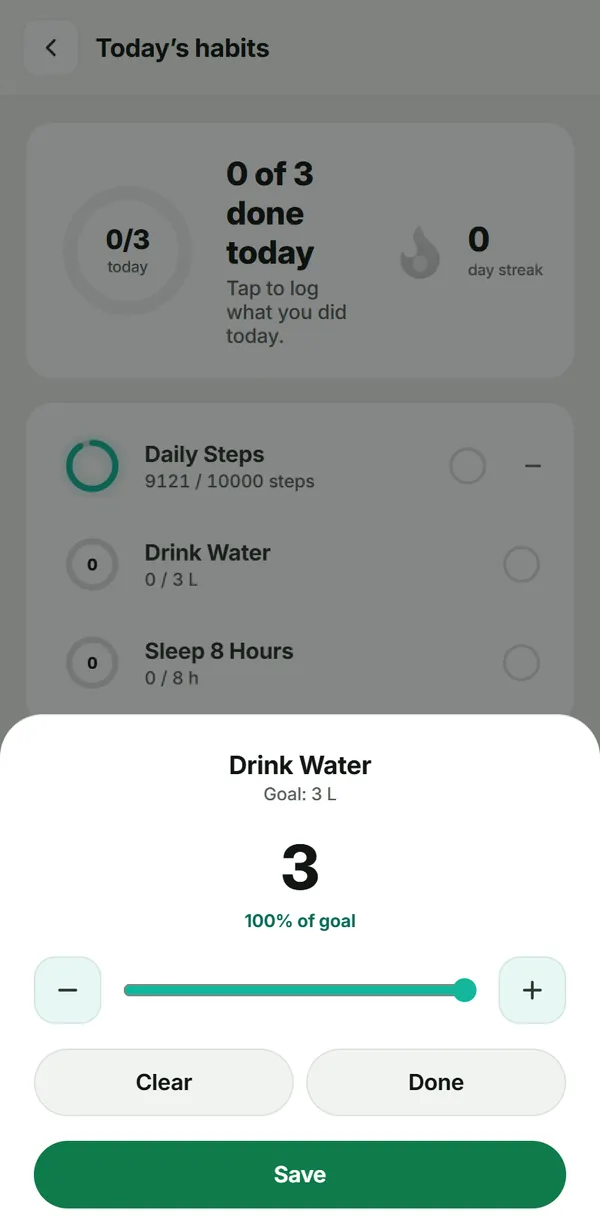
To log, they tap a habit, set the amount with – and +, then tap Save.
Troubleshooting
- A habit doesn’t show today. It isn’t on today’s plan — check which days it was added to in the program.
- I changed a target but the client sees the old one. Changes apply to the plan you edit; if the client got the habit from a program, update their plan or re-assign the program.
Frequently asked questions
Can a habit apply only on some days?
Yes. Add it to just those days in a program — for example Monday, Wednesday and Friday for an evening stretch.
Can clients log part of a habit?
Yes. They set the amount they did (say 2 of 3 liters) and the progress ring fills to match.
Is there a starter list of habits?
Yes. The Central habit library has common habits such as daily steps, water and sleep. Pick one and adjust the target.
Try it in your own workspace
Start your free trial