

Build a meal plan with macros worked out for you
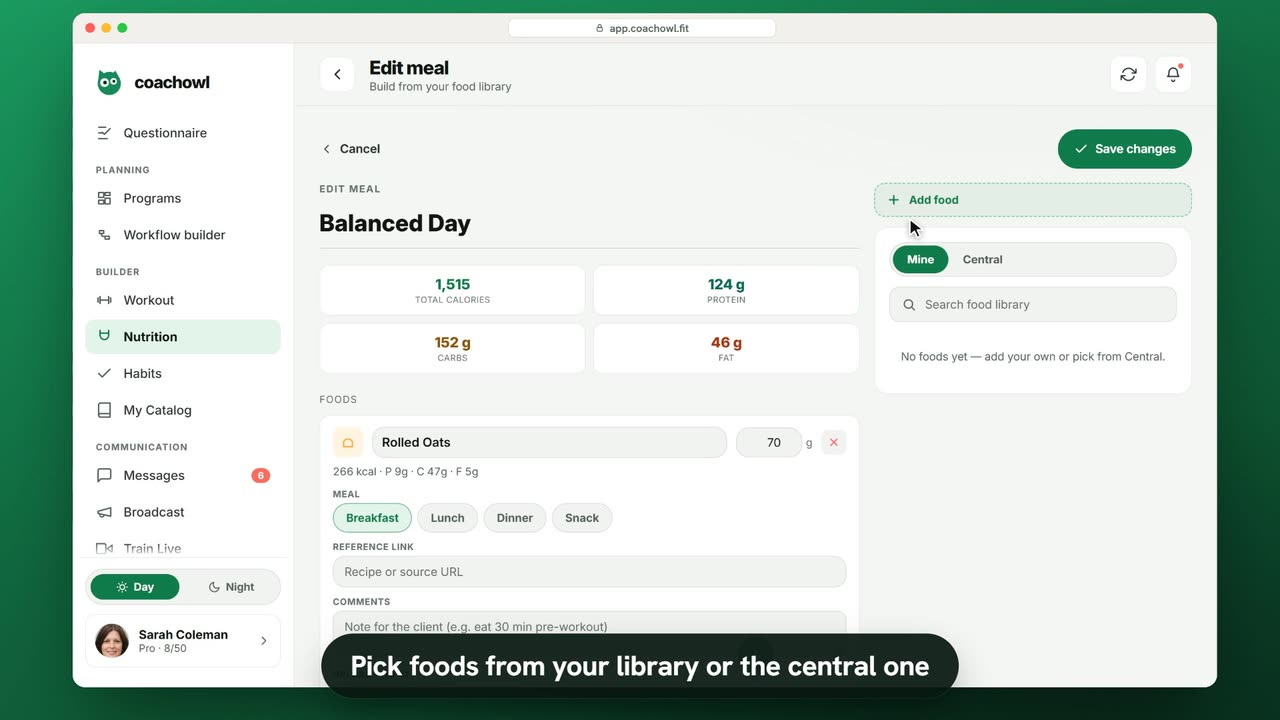
Sample data. The coach and clients shown are fictional.
Who can use it
- Available on every plan, including Free.
- Your 7-day free trial includes every feature, for up to 3 clients.
- The Free plan covers up to 3 clients. Pro, Max and Ultra add the premium features and raise the client limit. Compare plans.
Meal plans live in your Builder library, next to workouts and habits.
1. Create a meal plan
- In the sidebar, under Builder, open Nutrition.
- Tap New meal (or open an existing plan, like “Balanced Day”).
- Name it.
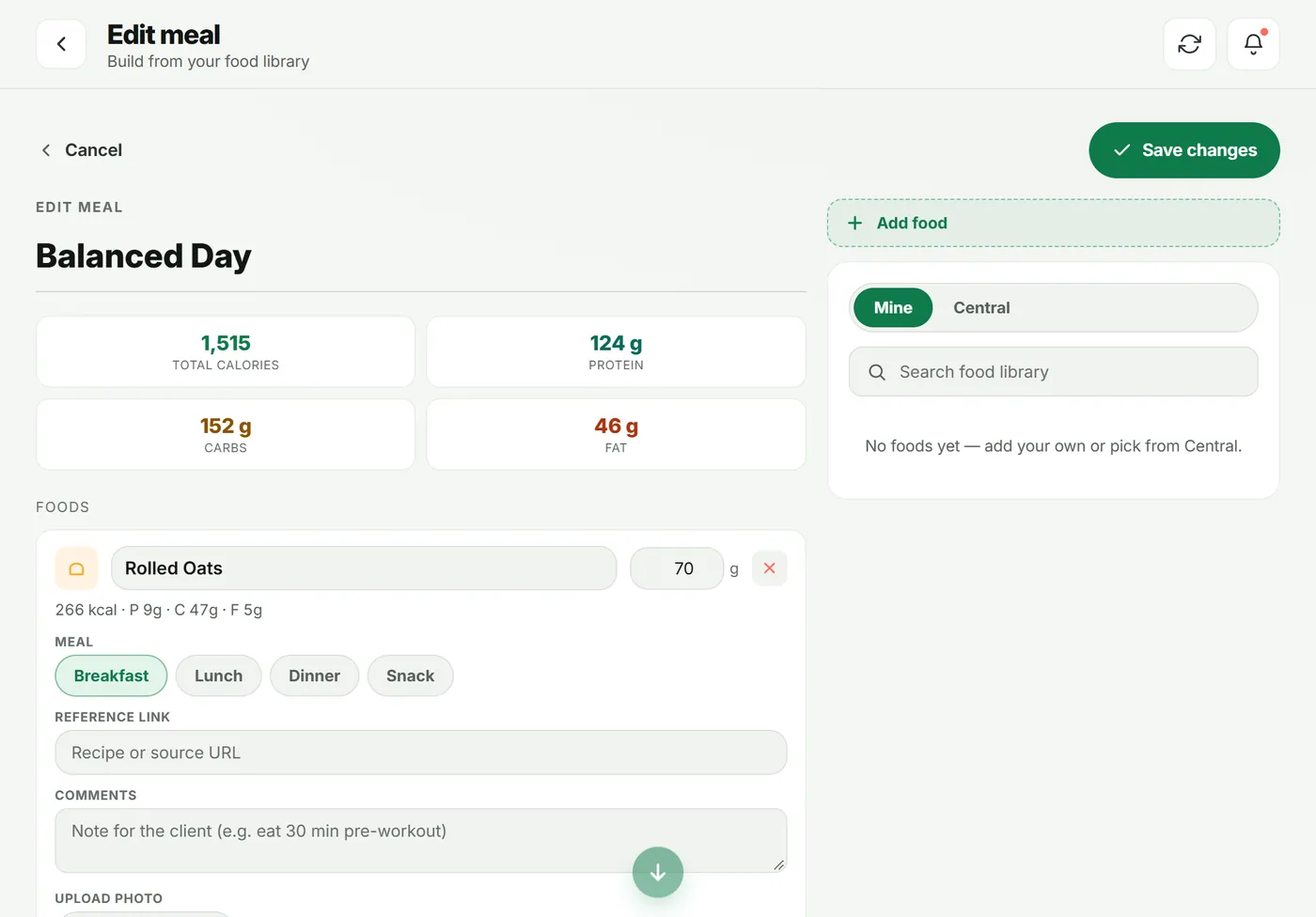
The four tiles at the top — Total calories, Protein, Carbs and Fat — update as you build.
2. Add foods
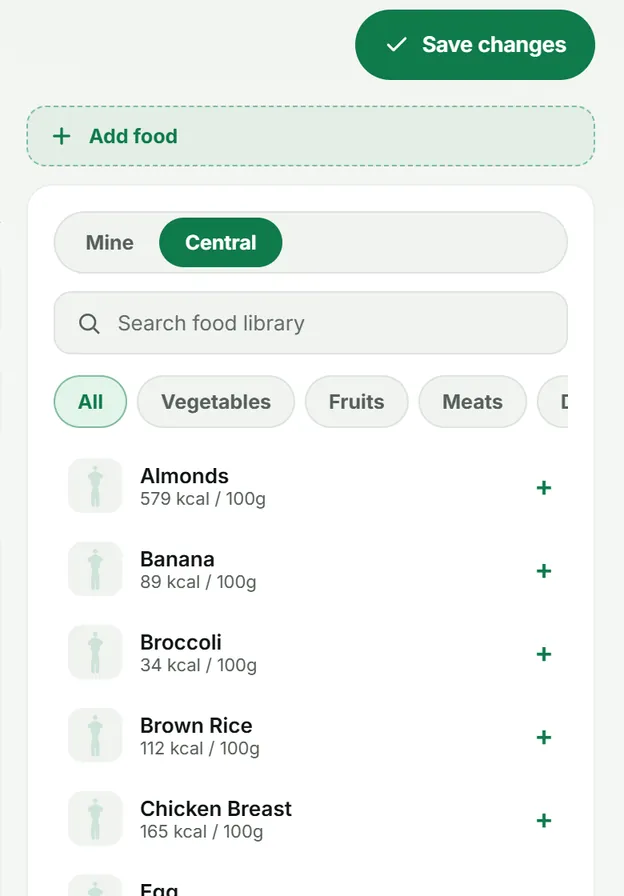
- In the right-hand panel choose Mine or Central, then Search food library.
- Tap a food to add it, or use Add food for your own.
- Set the grams and pick the Meal: Breakfast, Lunch, Dinner or Snack.
- Optional: add a Reference link or Comments (for example “eat 30 min pre-workout”).
- Tap Save changes.
3. Put it on a plan
Drop the meal plan onto days in a program or onto a single client’s plan.
4. What your client sees
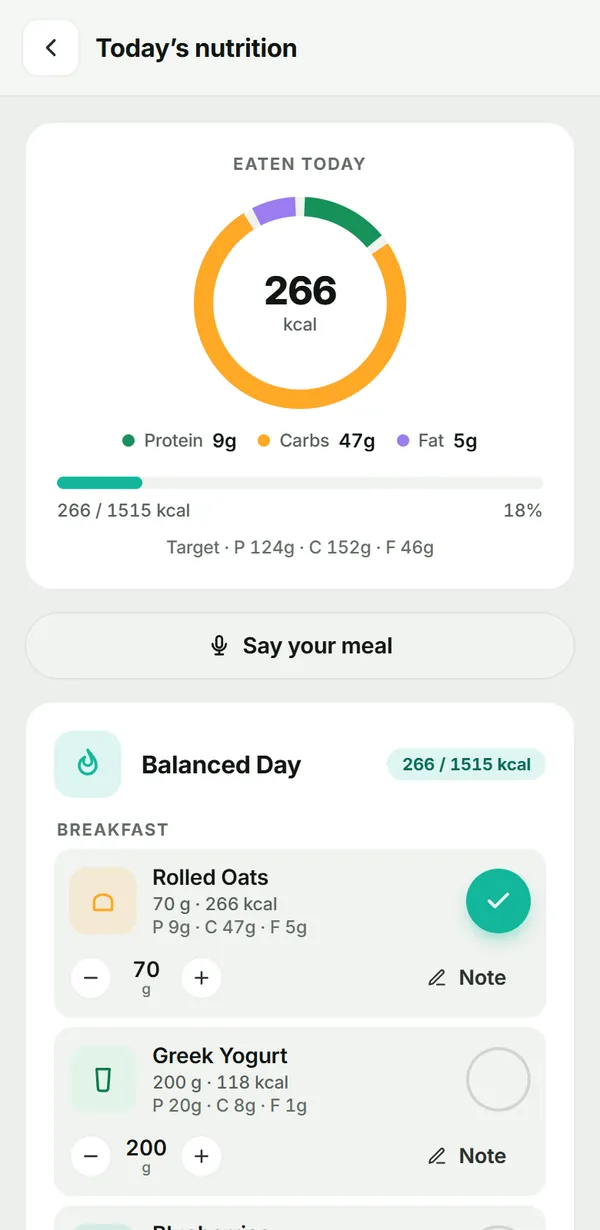
The client opens Nutrition from Today. They see what they have eaten against the target, and each food grouped by meal. They tick a food when they eat it, adjust grams if needed, and add a note.
Troubleshooting
- Totals look too low. Check the grams on each food — totals are worked out from grams × the per-100 g values.
- A food is missing from Central. Add it to your own library with Add food; it is then available in every meal plan.
Frequently asked questions
Do I have to type in calories and macros?
No. Foods carry calories, protein, carbs and fat per 100 g, so totals update as you change grams. You can still add your own foods with their own values.
Can clients change portions?
Yes. On the client’s nutrition screen each food has – and + to adjust grams, plus a note field.
Can I add a recipe link or a note?
Yes. Each food has a Reference link (for a recipe or source) and Comments for the client.
Try it in your own workspace
Start your free trial