

Create a workout clients can log set by set
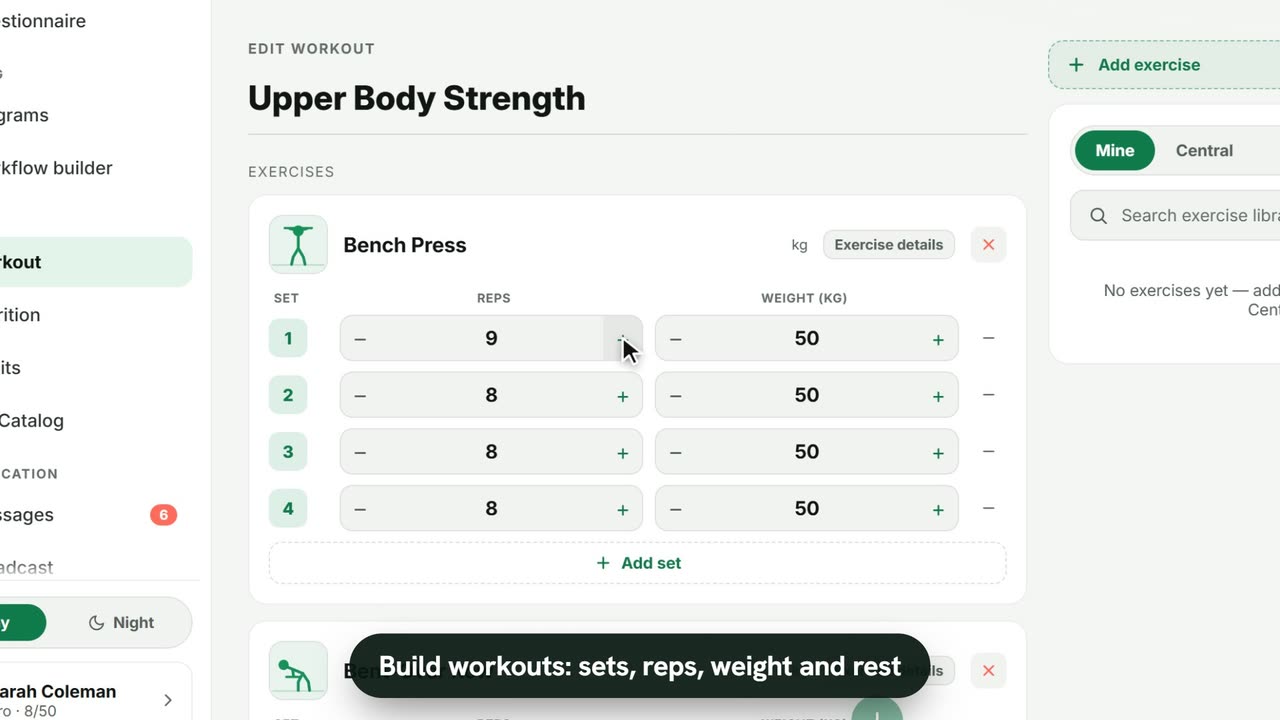
Sample data. The coach and clients shown are fictional.
Who can use it
- Available on every plan, including Free.
- Your 7-day free trial includes every feature, for up to 3 clients.
- The Free plan covers up to 3 clients. Pro, Max and Ultra add the premium features and raise the client limit. Compare plans.
Workouts live in your Builder library, so you can reuse them across programs and clients.
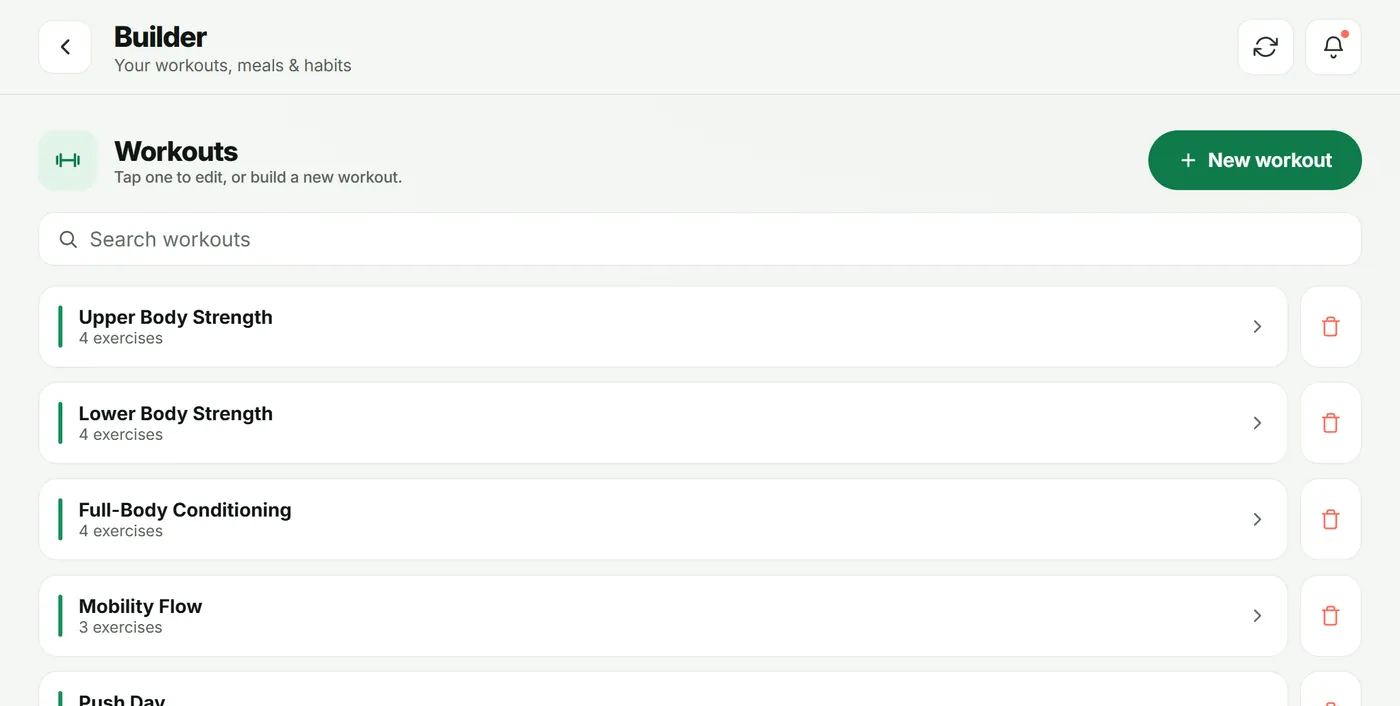
1. Start a new workout
- In the sidebar, under Builder, open Workout.
- Tap New workout (or tap an existing one to edit it).
- Give it a name, such as “Upper Body Strength”.
2. Add exercises
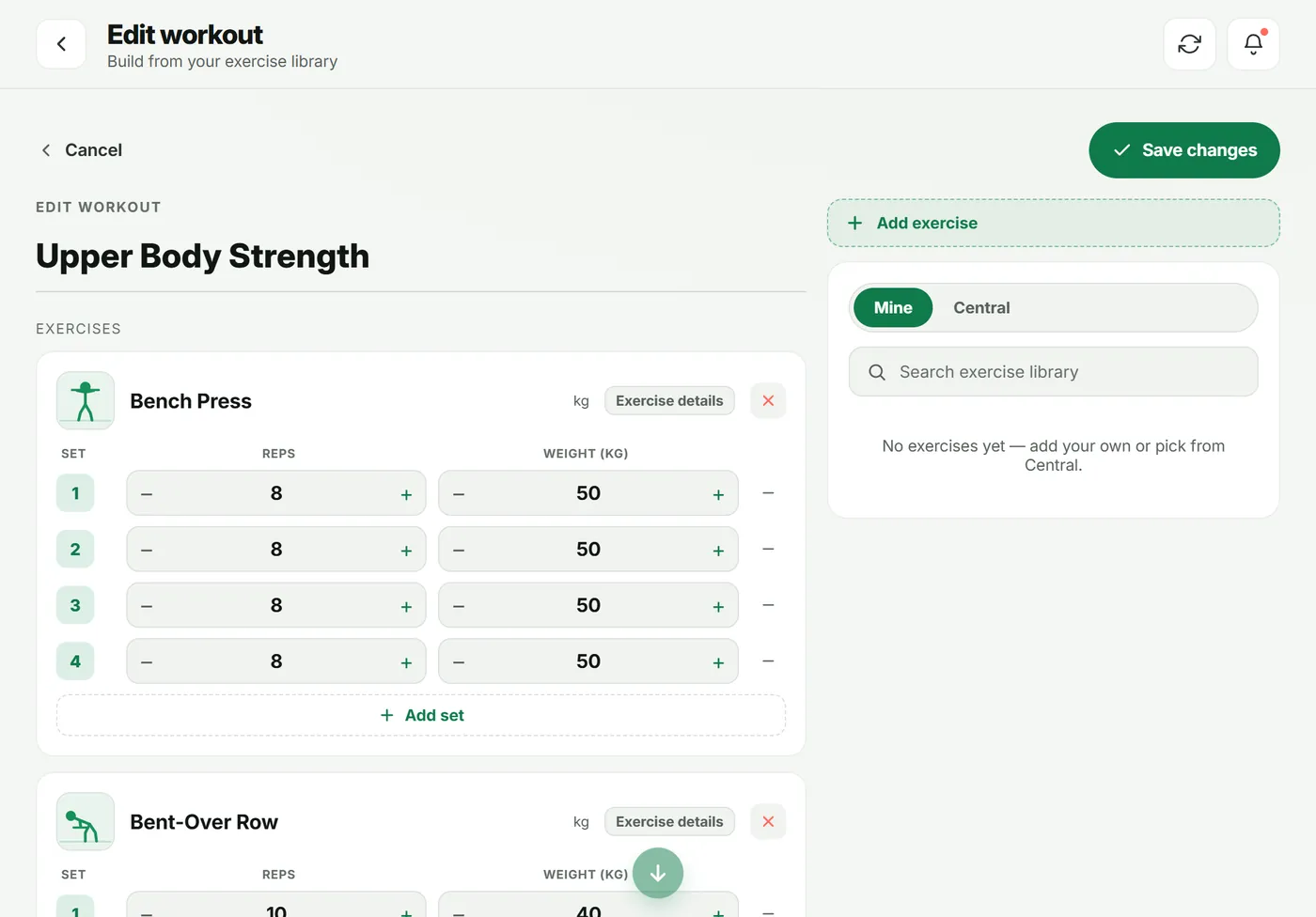
- In the right-hand panel, choose Mine or Central.
- Search exercise library and tap an exercise to add it.
- For each set, adjust Reps and Weight with – and +. Use Add set for more.
- Open Exercise details to set Rest (sec), Tempo, RPE or a Superset group.
- Tap Save changes (or Save plan for a new workout).
3. Put it on a plan
Add the workout to a day in a program, or straight onto one client’s plan from their client hub (Edit plan).
4. What your client sees
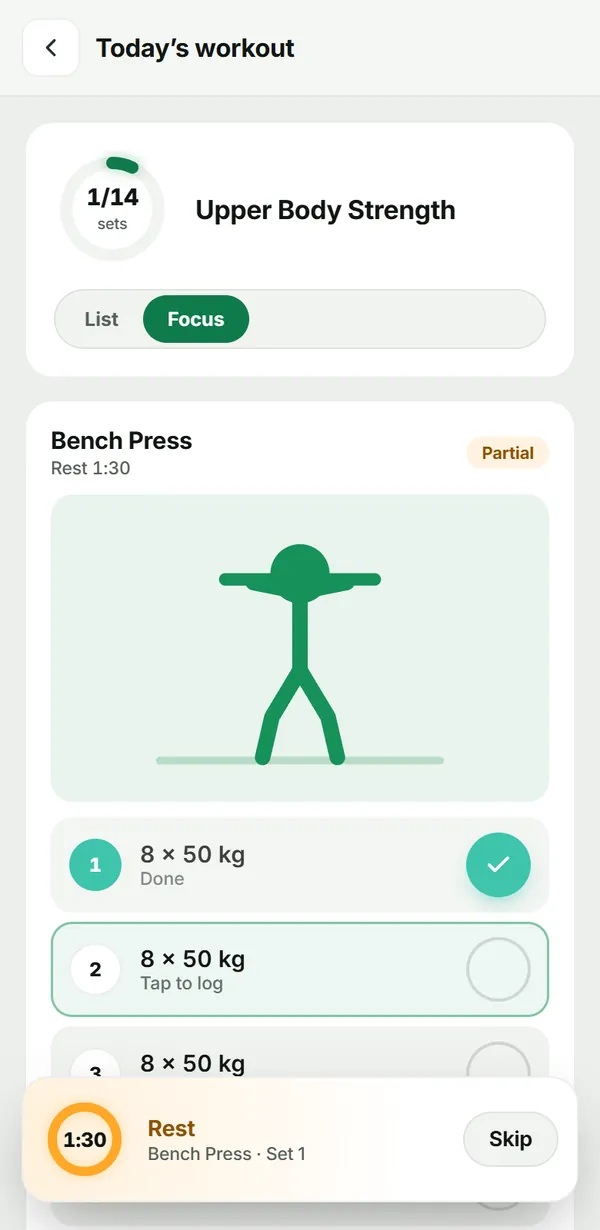
On the day it is due, the client’s Today screen shows the workout with Start workout. During the session they:
- tap the check next to each set to mark it done, or All done for the whole exercise;
- see any demo your coach attached, and a rest timer between sets;
- tap Finish workout to save it.
You see the result in their Logbook and on your dashboard.
Troubleshooting
- The client says there is no workout today. Check the day in their plan — empty days show as rest days.
- Weights show in the wrong unit. Each exercise has its own unit (kg or lb), and clients can choose their units in their profile.
Frequently asked questions
Where do exercises come from?
From your own library (Mine) or the shared Central catalog. Picking a Central exercise saves a copy to your library that you can edit.
Can I set rest, tempo or RPE?
Yes. Open an exercise’s Exercise details to set Rest (sec), Tempo, RPE or a Superset group. Clients see a rest timer between sets.
Can I build circuits or HIIT?
Yes. Choose a Format — Strength, HIIT, Tabata or Circuit — and set Rounds where it applies.
Try it in your own workspace
Start your free trial